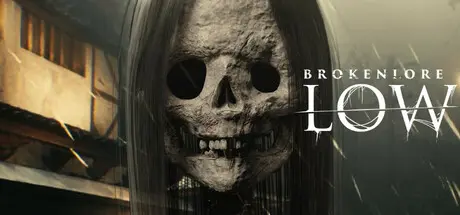
July 11Jul 11 BrokenLore: LOW Game DetailsRelease Name: BrokenLore: LOWGame Version: Build 17778853Release Date: 20 Feb, 2025Publisher: Serafini ProductionsDeveloper: Serafini ProductionsBased On: CSF & GoldbergBrokenLore: LOW Direct Download - Game OverviewBrokenLore: LOW is a psychological horror game set in the beautiful Japanese village of Kirisame-mura, where an ancient legend haunts the land: a giant skeleton from Japanese folklore, the Gashadokuro.GAME OBJECTIVES ➤ Reveal the Roots of Deep-Seated Hatred ➤ Explore the circular, claustrophobic pathway structure of Kirisame Mura ➤ Introduce the Game Loop Structure, symbolizing the unstoppable cycle of tragic eventsNaomi Montgomery arrives at Kirisame Mura for a professional opportunity that promises to launch her music career but instead finds herself facing sinister presences and the cursed secrets of the village. Her story is a journey through time and memory, laying the groundwork for the events narrated in BrokenLore: UNFOLLOW.The aura of mystery surrounding the village intensifies with the gradual revelation of a dark legend that haunts the town. The legend tells that, at the center of the village, there was an ancient temple, now disappeared, the scene of a tragedy that has cursed all its inhabitants.BrokenLore: LOW Screenshots BrokenLore: LOW TrailerBrokenLore: LOW System Requirements Minimum RequirementsRecommended Requirements OSWindows 10 (64-bit)Windows 10 / Windows 11 (64-bit) ProcessorIntel Core i5-2500K / AMD FX-6300Intel Core i7-8700K / AMD Ryzen 5 3600 Memory16 GB RAM32 GB RAM GraphicsNVIDIA GeForce GTX 1060 / AMD Radeon RX 580NVIDIA GeForce RTX 2080 / AMD Radeon RX 6700 XT DirectX-- Storage15 GB available space15 GB available space How to Install BrokenLore: LOWNo Installation Needed: The game is pre-installed. Just download and extract.Extract: Right-click the .zip or .rar file and select "Extract Here" or "Extract to folder".Run: Find LOW.exe inside the folder and run it.Game Data & SettingsChange Language: Edit the file located at steam_settings/Configs.user.iniImportant NotesTo support the Game Developer, Get It On Steam.🔥DOWNLOAD AREA🔥🔹9.87 GB🔹Select the server you want to download with ZeiLink.Download





Create an account or sign in to comment