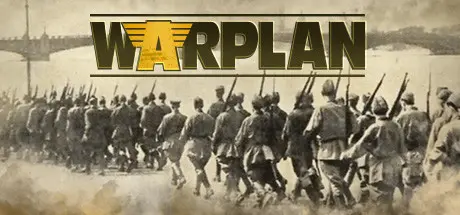
July 5Jul 5 WarPlan Game DetailsRelease Name: WarPlanGame Version: v1.00.31b | Build 24052987Release Date: 26 Mar, 2020Publisher: Kraken StudiosDeveloper: Kraken StudiosBased On: CSF & GoldbergWarPlan Direct Download - Game OverviewWarPlan is a World War II simulation engine. It is a balance of realism and playability incorporating the best from 50 years of World War II board wargaming. Players have a choice of many scenarios and scale.Developer Kraken Studios places their emphasis on games that are easy to use, hard to win. WarPlan employs one of the best interfaces to lower micromanagement as much as possible so players can focus on playing and thinking.The game's scale is massive, covering 70 different potential countries, in a map large 30 miles / 50km per hex using a Peters map scaling (which better represents real distances). The land scale is 15k - 60k men, air scale is 300-400 aircraft and naval scale is 2 capital ships + support ships.Combat takes place on Land, with multihex attack based on operation points allowing for multiple moves and attack tactics allowing for frontline breakthroughs, on Air, where you can attack selected targets and may automatically support land attacks, and on Sea, where fleet and raider modes affect detection. Night action, Surface, Sub, and Carrier combat are available. Use the Zone of control to restrict the movement of the enemy.20 different units with 15 different attributes, 17 different technological advancements, 5 different specialties. Each country has their own units with their own attributes. Additionally, units can be impacted by: Breakdown - Land units can be split or reformed, corps may detach a division, armies may split, Formation – Small formations may be grouped into larger ones, Generals - Each player comes with their own generals that affect combat, mobile attack, and retreats, Support pool Units - 11 different support types. Naval units stack in fleets. 1 land, 1 air, 1 fleet per hex. Land units have the capacity of having a specialization. This is an attachment of equipment, elite trained units, or gear. With advancements, this allows for 120 different land unit configurations.70 different potential countriesMap scale 30 miles / 50km per hex using a Peters map scaling which better represents real distances15 different types of terrains subdivided into sizes with each different features including motorized and non-motorized movement, airfield capacity, and defensive bonuses12 different resource types5 different strategic resourcesFog of War – detection levels determine information of units5 different weather conditions20 different units with 15 different attributes, 17 different technological advancements, 5 different specialities17 different advancements. Each unit has at minimum 2 advancement choicesAutomatic repair and advancementMultiplayer: play vs the A.I., in hotseat, and PBEM modeWarPlan Screenshots WarPlan TrailerWarPlan System Requirements Minimum RequirementsRecommended Requirements OSWindows 8.1, Windows 10 (64 bit only)- ProcessorIntel Core i3 or equivalent- Memory4 GB RAM- GraphicsGraphics card with DX10 (shader model 4.0) capabilities- DirectXVersion 9.0c- Storage414 MB available space- How to Install WarPlanNo Installation Needed: The game is pre-installed. Just download and extract.Extract: Right-click the .zip or .rar file and select "Extract Here" or "Extract to folder".Run: Find WarPlan.exe inside the folder and run it.Game Data & SettingsChange Language: Edit the file located at steam_settings/Configs.user.iniSave Data Location: %USERPROFILE%/My Documents/My Games/WarPlan/SavedGamesImportant NotesTo support the Game Developer, Get It On Steam.🔥DOWNLOAD AREA🔥🔹203 MB🔹Select the server you want to download with ZeiLink.Download





Create an account or sign in to comment