



Skip to content
View in the app

A better way to browse. Learn more.

ZeiGames

A full-screen app on your home screen with push notifications, badges and more.

To install this app on iOS and iPadOS
  1. Tap the Share icon in Safari
  2. Scroll the menu and tap Add to Home Screen.
  3. Tap Add in the top-right corner.
To install this app on Android
  1. Tap the 3-dot menu (โ‹ฎ) in the top-right corner of the browser.
  2. Tap Add to Home screen or Install app.
  3. Confirm by tapping Install.

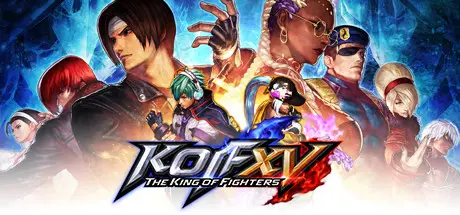
THE KING OF FIGHTERS XV Free Download (v2.50.0 + ALL DLC)
Featured Replies

header.webp

Game Details

Release Name:ย THE KING OF FIGHTERS XV

Game Version:ย v2.50.0 | Build 23496859

Release Date: 12 Dec, 2024

Publisher: SNK CORPORATION

Developer: SNK CORPORATION

Based On:ย CSF & Goldberg

THE KING OF FIGHTERS XV Direct Download - Game Review

Since its debut in 1994, the KOF fighting game series has been driving the world to new heights of excitement with its appealing characters and unique game system. Six years have passed since the last title in the series, and now KOF XV surpasses all of its predecessors in terms of graphics, systems, and online experience!

Classic popular characters, heroes and villains revived from the dead, new challengers, and more! The most epic dream match in KOF history is about to begin!

The latest KOF Saga continues from the previous title in Story Mode. This time, the story is coming to an explosive climax!

Inheriting the series' traditional 3-on-3 team battle, KOF XV also features the exciting new โ€œSHATTER STRIKEโ€ mechanic. Enjoy an unprecedented sense of speed and hype fighting game action!

KOF XV features rollback netcode. There are also a variety of battle options that allow you to choose how you want to play!

Includes a Gallery with movies and voice samples, and a new DJ STATION with over 300 popular songs from the KOF series and more.


Game Screenshots

screenshot screenshot screenshot screenshot


Game Trailer


System Requirements

Minimum Requirements

Recommended Requirements

OS

Windows 7

Windows 10

Processor

Intel Core i5

Intel Core i7

Memory

8 GB RAM

16 GB RAM

Graphics

Nvidia GeForce GTX 770 2GB / AMD Radeon R9 280 3GB

Nvidia GeForce GTX 1060 6GB / AMD Radeon RX 480 4GB

DirectX

Version 11

Version 11

Storage

65 GB available space

65 GB available space


Installation Guide

  1. No Installation Needed: The game is pre-installed. Just download and extract.

  2. Extract: Right-click the .zip or .rar file and select "Extract Here" or "Extract to folder".

  3. Run: Find KOFXV_Steam.exe inside the folder and run it.

Game Data & Settings

  • Change Language: Edit the file located at steam_settings/Configs.user.ini

  • Save Data Location: %USERPROFILE%/AppData/Local/KOFXV\Saved\SaveGames

Important Notes

DLC List

Added DLCs

KOF XV DLC Characters "MATURE" and "VICE"

KOF XV DLC Character "HINAKO SHIJO"

KOF XV DLC Character "DUO LON"

KOF XV DLC Character "NAJD"

KOF XV DLC Character "SYLVIE PAULA PAULA"

KOF XV DLC Character "KIM KAPHWAN"

KOF XV DLC Character "SHINGO YABUKI"

KOF XV Fighter Pass

KOF XV DLC Characters "Team SAMURAI"

THE KING OF FIGHTERS XV - DLC Team Pass "Team Pass 2"

KOF XV DLC Characters "Team AWAKENED OROCHI"

THE KING OF FIGHTERS XV - DLC Team Pass "Team Pass 1"

KOF XV DLC Characters "Team SOUTH TOWN"

THE KING OF FIGHTERS XV - DLC Characters "Team GAROU"

THE KING OF FIGHTERS XV - DLC Costume "CLASSIC LEONA"

THE KING OF FIGHTERS XV - DLC Costume "GAROU: MotW TERRY"

๐Ÿ”ฅDOWNLOAD AREA๐Ÿ”ฅ

๐Ÿ”น45.92 GB๐Ÿ”น

Select the server you want to download with ZeiLink.

Download

  • Views 361
  • Created
  • Last Reply

Posted Images

Create an account or sign in to comment

Recently Browsing 0

  • No registered users viewing this page.

Account

Navigation

Search

Search

๐Ÿ”Ž Search Tip
For exact results, search using "game name" .
Without quotes, results may include unrelated titles.

Configure browser push notifications

Chrome (Android)
  1. Tap the lock icon next to the address bar.
  2. Tap Permissions โ†’ Notifications.
  3. Adjust your preference.
Chrome (Desktop)
  1. Click the padlock icon in the address bar.
  2. Select Site settings.
  3. Find Notifications and adjust your preference.
