



Skip to content
View in the app

A better way to browse. Learn more.

ZeiGames

A full-screen app on your home screen with push notifications, badges and more.

To install this app on iOS and iPadOS
  1. Tap the Share icon in Safari
  2. Scroll the menu and tap Add to Home Screen.
  3. Tap Add in the top-right corner.
To install this app on Android
  1. Tap the 3-dot menu (โ‹ฎ) in the top-right corner of the browser.
  2. Tap Add to Home screen or Install app.
  3. Confirm by tapping Install.

Pure Pool Pro Free Download (Build 23325558 + ALL DLC)
Featured Replies

header.webp

Game Details

Release Name:ย Pure Pool Pro

Game Version:ย Build 23325558

Release Date: 12 Feb, 2026

Publisher: Ripstone Ltd

Developer: Rockwater

Based On:ย CSF & Goldberg

Pure Pool Pro Direct Download - Game Review

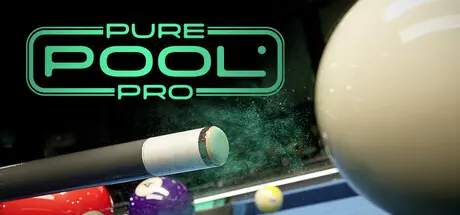
Feel the peak of cue sports in Pure Pool Pro, sequel to the acclaimed Pure Pool. Experience stunning visuals at up to 8K native, high-fidelity reflections, and an enhanced physics engine tuned for lifelike spin, swerve, and shot control - delivering the most tactile, responsive, and satisfying cue sports experience yet.

Compete across a variety of modes, including:

  • Career Mode: Progress through hundreds of events across US 8-Ball and US 9-Ball careers at Amateur, Focused, and Pro difficulty.

  • Games & Challenges: Test your skills with minigames like Speed Pot, Checkpoint, Perfect Potter and Royal Rumble.

  • Daily Clearance: Build your streak by completing a daily challenge; earn the ultimate bragging rights!

  • Leaderboards: Climb global rankings and unlock exclusive rewards to cement your status as a cue sports legend.

  • Local Play: Take on friends at home with local multiplayer in a variety of game types.

Take on dedicated 8-Ball and 9-Ball career modes, each with three difficulty paths: Amateur, Focused, and Pro. Across hundreds of events, youโ€™ll face handcrafted AI opponents in single-frame matches and multi-frame finals, with skill-based solo challenges like Royal Rumble and Perfect Potter offering variety throughout.

Play under pressure in the Tetradome, a dramatic 1,000-seat arena built for pro-level intensity, or take a breath in Rackhaus, a stylish rooftop club designed for cozy matchups with a killer view. Each environment brings its own vibe, soundscape, and impressive lighting to the table.


Game Screenshots

screenshot screenshot screenshot screenshot


Game Trailer


System Requirements

Minimum Requirements

Recommended Requirements

OS

Windows 10

Windows 11

Processor

Intel i5-7400 / AMD FX-8350 (quad-core or better)

AMD Ryzen 5 5600X (6 core or better)

Memory

16 GB RAM

32 GB RAM

Graphics

NVIDIA GTX 1060 (4GB) / AMD RX 570 (4GB)

NVIDIA RTX 3060 (8โ€“12 GB VRAM)

DirectX

Version 11

Version 12

Storage

20 GB available space

20 GB available space


Installation Guide

  1. No Installation Needed: The game is pre-installed. Just download and extract.

  2. Extract: Right-click the .zip or .rar file and select "Extract Here" or "Extract to folder".

  3. Run: Find PurePool.exe inside the folder and run it.

Game Data & Settings

  • Change Language: Edit the file located at steam_settings/Configs.user.ini

  • Save Data Location: %USERPROFILE%/AppData/Local/PurePoolPro

Important Notes

DLC List

Added DLCs

Pure Pool Pro: Free Item Pack

Pure Pool Pro: Party Item Pack

Pure Pool Pro: Cyber Item Pack

Pure Pool Pro: Classic Item Pack

๐Ÿ”ฅDOWNLOAD AREA๐Ÿ”ฅ

๐Ÿ”น14.31 GB๐Ÿ”น

Select the server you want to download with ZeiLink.

Download

  • Views 368
  • Created
  • Last Reply

Posted Images

Create an account or sign in to comment

Recently Browsing 0

  • No registered users viewing this page.

Account

Navigation

Search

Search

๐Ÿ”Ž Search Tip
For exact results, search using "game name" .
Without quotes, results may include unrelated titles.

Configure browser push notifications

Chrome (Android)
  1. Tap the lock icon next to the address bar.
  2. Tap Permissions โ†’ Notifications.
  3. Adjust your preference.
Chrome (Desktop)
  1. Click the padlock icon in the address bar.
  2. Select Site settings.
  3. Find Notifications and adjust your preference.
