



Skip to content
View in the app

A better way to browse. Learn more.

ZeiGames

A full-screen app on your home screen with push notifications, badges and more.

To install this app on iOS and iPadOS
  1. Tap the Share icon in Safari
  2. Scroll the menu and tap Add to Home Screen.
  3. Tap Add in the top-right corner.
To install this app on Android
  1. Tap the 3-dot menu (โ‹ฎ) in the top-right corner of the browser.
  2. Tap Add to Home screen or Install app.
  3. Confirm by tapping Install.

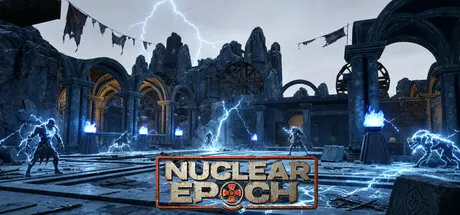
Nuclear Epoch Free Download (v1.0.1.0 + Cyan Pulse DLC + Online)
Featured Replies

header.webp

Game Details

Release Name:ย Nuclear Epoch

Game Version:ย v1.0.1.0 | Build 24107323

Release Date: 25 Jun, 2026

Publisher: Cat Play Studio

Developer: Cat Play Studio

Based On:ย CSF & Goldberg

Nuclear Epoch Direct Download - Game Review

The Nuclear Age integrates exploration, combat, construction, trading, and socialization. In this post apocalyptic world full of danger and opportunity, every player can write their own legendary story. Whether to become a solitary wasteland legend, establish a prosperous commercial empire, or create a warm community home - countless possibilities await your choice.

Embark on the path of post apocalyptic survival in this open world destroyed by nuclear disaster. Crossing through the radioactive wasteland, searching for scattered precious resources, and establishing a sturdy shelter on the barren land. From rudimentary shelters to magnificent fortress cities, every construction is a struggle against the apocalypse, and every harvest comes from brave exploration.

Explore five distinctly different hazardous areas. Each instance adopts programmatic generation technology to ensure that every entry is a completely new experience: enemy distribution, treasure chest location, and map structure all change randomly. The same copy, different stories, make every search, fight, and retreat mission full of surprises and challenges.

In the deepest part of the instance, there is a powerful mutant giant beast. These bosses have unique skill combinations and combat mechanisms that require players to devise sophisticated tactics and collaborate in order to defeat them. The rewards of victory are equally generous, and each one is enough to change your combat style.


Game Screenshots

screenshot screenshot screenshot screenshot


Game Trailer


System Requirements

Minimum Requirements

Recommended Requirements

OS

Windows 10+ (64 bit)

Windows 10+ (64 bit)

Processor

Intel Core i5-2400/AMD FX-8320

Intel Core i5-12600/AMD R7-3700X

Memory

8 GB RAM

16 GB RAM

Graphics

NVIDIA GTX 1060 6GB

NVIDIA RTX 3060

DirectX

Version 12

Version 12

Storage

30 GB available space

30 GB available space


Installation Guide

  1. No Installation Needed: The game is pre-installed. Just download and extract.

  2. Extract: Right-click the .zip or .rar file and select "Extract Here" or "Extract to folder".

  3. Run: Find ProjectC.exe inside the folder and run it.

Multiplayer & Online (Optional)

  • Play Online: Download the Online Fix file and apply it to the game folder.

  • Please go to the online fix page and read the guide.

Game Data & Settings

  • Change Language: Edit the file located at steam_settings/Configs.user.ini

  • Save Data Location: %USERPROFILE%/AppData/Local/ProjectC/Saved/SaveGames

Important Notes

DLC List

Added DLCs

Nuclear Epoch - Cyan Pulse

๐Ÿ”ฅDOWNLOAD AREA๐Ÿ”ฅ

๐Ÿ”น23.13 GB๐Ÿ”น

Select the server you want to download with ZeiLink.

Download

Online Fix - (RAR pass: rexagames.com)

  • DicDale changed the title to Nuclear Epoch Free Download (v1.0.1.0 + Cyan Pulse DLC + Online)

  • Replies 2
  • Views 1.4k
  • Created
  • Last Reply

Top Posters In This Topic

Posted Images

Online fix is kinda not working (all working except for achievements which tie adventure/instance progression)
Will test with new 1.0.1.0 and update my reply.

Can you update the game pls?
the latest version is 1.0.1.2

Edited by EvoKaneki

Create an account or sign in to comment

Recently Browsing 0

  • No registered users viewing this page.

Account

Navigation

Search

Search

๐Ÿ”Ž Search Tip
For exact results, search using "game name" .
Without quotes, results may include unrelated titles.

Configure browser push notifications

Chrome (Android)
  1. Tap the lock icon next to the address bar.
  2. Tap Permissions โ†’ Notifications.
  3. Adjust your preference.
Chrome (Desktop)
  1. Click the padlock icon in the address bar.
  2. Select Site settings.
  3. Find Notifications and adjust your preference.