



Skip to content
View in the app

A better way to browse. Learn more.

ZeiGames

A full-screen app on your home screen with push notifications, badges and more.

To install this app on iOS and iPadOS
  1. Tap the Share icon in Safari
  2. Scroll the menu and tap Add to Home Screen.
  3. Tap Add in the top-right corner.
To install this app on Android
  1. Tap the 3-dot menu (โ‹ฎ) in the top-right corner of the browser.
  2. Tap Add to Home screen or Install app.
  3. Confirm by tapping Install.

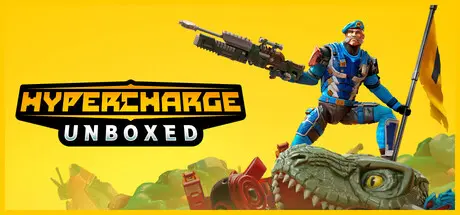
HYPERCHARGE: Unboxed Free Download (v0.2.4261.1835 + ALL DLC + Online)
Featured Replies

header.webp

Game Details

Release Name:ย HYPERCHARGE: Unboxed

Game Version:ย v0.2.4261.1835 | Build 18311839

Release Date: 27 Apr, 2020

Publisher: Digital Cybercherries

Developer: Digital Cybercherries

Based On:ย CSF & Goldberg

HYPERCHARGE: Unboxed Direct Download - Game Review

There was once an ancient line of action figures, who created a magical power source that would allow humans to keep their favourite childhood memories of their toys. This ancient power source is known as the Hypercore. Inside the Hypercore are the beloved memories of our favorite toys. If Major Evil destroys it, these memories will disappear forever. Defend it with everything you've got, or see our cherished toys turn into lost treasures of the past!

If you grew up watching classic toy movies and playing with action figures, get ready for the ultimate action figure game! Hypercharge takes you back to the original drawing board of action shooters, with no pay-to-progress, weapon meta, or slide cancelling. Just simple, light-hearted, casual fun!

  • 1-4 player online/local co-op.

  • Full split-screen support including online/local.

  • Single player/offline play with player bots.

  • Difficulty scales based on the number of players.

  • Wave-based shooter with story campaign.

  • Classic PvP game modes. (up to eight players)

  • First and third-person camera modes.


Game Screenshots

screenshot screenshot screenshot screenshot


Game Trailer


System Requirements

Minimum Requirements

Recommended Requirements

OS

Windows 10

Windows 10

Processor

Intel i5-4460

Intel i7-4770

Memory

8 GB RAM

16 GB RAM

Graphics

NVIDIA GeForce GTX 750

NVIDIA GeForce GTX 1050

DirectX

Version 11

Version 11

Storage

13 GB available space

15 GB available space


Installation Guide

  1. No Installation Needed: The game is pre-installed. Just download and extract.

  2. Extract: Right-click the .zip or .rar file and select "Extract Here" or "Extract to folder".

  3. Run: Find Unboxed.exe inside the folder and run it.

Multiplayer & Online (Optional)

  • Play Online: Download the Online Fix file and apply it to the game folder.

  • Please go to the online fix page and read the guide.

Game Data & Settings

  • Change Language: Edit the file located at steam_settings/Configs.user.ini

  • Save Data Location: /Unboxed/Saved

Important Notes

DLC List

Added DLCs

HYPERCHARGE: Unboxed Breaker and Mightus Pack

HYPERCHARGE: Unboxed Supporter Pack

๐Ÿ”ฅDOWNLOAD AREA๐Ÿ”ฅ

๐Ÿ”น7.13 GB๐Ÿ”น

Select the server you want to download with ZeiLink.

Download

Online Fix - (RAR pass: rexagames.com)

  • Replies 2
  • Views 616
  • Created
  • Last Reply

Top Posters In This Topic

Most Popular Posts

  • DicDale
    DicDale

    I tested now and everything working fine. Just one problem if you want to use directly friend list > spacewar > join game, Not work. You need to use room code to play. I use room code and played

Posted Images

One of my friends can't join any lobbies or host the game, the game just gets stuck at Start Lobby, when trying to enter a lobby the game says, "Session doesn't exist", the fix is applied. Have anyone ever encountered this type of issue and know how to solve it?

Imagem

  • Author
47 minutes ago, Jovi said:

One of my friends can't join any lobbies or host the game, the game just gets stuck at Start Lobby, when trying to enter a lobby the game says, "Session doesn't exist", the fix is applied. Have anyone ever encountered this type of issue and know how to solve it?

I tested now and everything working fine. Just one problem if you want to use directly friend list > spacewar > join game, Not work. You need to use room code to play. I use room code and played fine. If your friends can't any host or join problem via steam - spacewar game. Try delete spacewar game on library and re-download you and your friends.

Create an account or sign in to comment

Recently Browsing 0

  • No registered users viewing this page.

Account

Navigation

Search

Search

๐Ÿ”Ž Search Tip
For exact results, search using "game name" .
Without quotes, results may include unrelated titles.

Configure browser push notifications

Chrome (Android)
  1. Tap the lock icon next to the address bar.
  2. Tap Permissions โ†’ Notifications.
  3. Adjust your preference.
Chrome (Desktop)
  1. Click the padlock icon in the address bar.
  2. Select Site settings.
  3. Find Notifications and adjust your preference.
