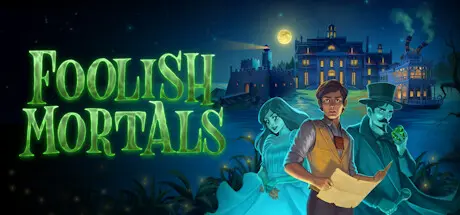
June 27Jun 27 Foolish Mortals Game DetailsRelease Name: Foolish MortalsGame Version: v1.4.3 | Build 22732773Release Date: 5 Nov, 2025Publisher: Inklingwood StudiosDeveloper: Inklingwood StudiosBased On: CSF & GoldbergFoolish Mortals Direct Download - Game Overview“Ever since I heard of the treasure inside Bellemore Manor I've been obsessed by it. People said the house was still haunted by the ghosts of the wedding that disappeared there decades ago, but if the ghosts knew where the treasure was hidden, I just had to ask them.But there's more to the treasure than I could have ever expected, and now I've awakened a household of spirits who don't mind that they're dead, and an evil phantom determined to find the treasure before I do.Fixing the situation won't just mean getting to the treasure first, but also figuring out what happened on the island all those years ago. But I have a feeling that in order to do that, I'll have to die too.”A merry & macabre mystery puzzle game set on the enigmatic island of Devil's Rock in 1930s LouisianaSpooky not scary - a cozy game with no deaths, dead-ends, or scaresClassic-style adventure game puzzles with over 100 items to pick up and use - plus a built-in hint systemPiece together the clues to find out what happened in Bellemore Manor thirty years agoMore than 75 gorgeous hand-drawn locations at full HD resolution, plus dozens more paintings, documents, and other details to investigateA full-length experience, with a gameplay time equal to Monkey Island and Broken SwordHigh quality animation from a professional animation studioMore than two hours of original music, including an interactive big band songFully voiced, with more than 35 characters to interact withStarring AJ LoCascio as Murphy McCallan (Marty McFly in Back to the Future: The Game, Han Solo in LEGO Star Wars: The Skywalker Saga, Gambit in X-Men ’97, and many more).Foolish Mortals Screenshots Foolish Mortals TrailerFoolish Mortals System Requirements Minimum RequirementsRecommended Requirements OSWindows 7Windows 10 or higher Processor1.8GHZ2.6 GHz Dual Core CPU Memory2 GB RAM4 GB RAM GraphicsVideo card with at least 512MB Shared VRAM & openGL 2.0 supportVideo card with at least 512MB Shared VRAM & openGL 2.0 support DirectX-- Storage8 GB available space8 GB available space How to Install Foolish MortalsNo Installation Needed: The game is pre-installed. Just download and extract.Extract: Right-click the .zip or .rar file and select "Extract Here" or "Extract to folder".Run: Find FoolishMortals.exe inside the folder and run it.Game Data & SettingsChange Language: Edit the file located at steam_settings/Configs.user.iniSave Data Location: %USERPROFILE%/AppData/Local/Inklingwood Studios/Foolish Mortals/SavegamesImportant NotesTo support the Game Developer, Get It On Steam.DLC ListAdded DLCsFoolish Mortals Murphy's DiaryFoolish Mortals Artbook🔥DOWNLOAD AREA🔥🔹6.99 GB🔹Select the server you want to download with ZeiLink.Download





Create an account or sign in to comment