



Skip to content
View in the app

A better way to browse. Learn more.

ZeiGames

A full-screen app on your home screen with push notifications, badges and more.

To install this app on iOS and iPadOS
  1. Tap the Share icon in Safari
  2. Scroll the menu and tap Add to Home Screen.
  3. Tap Add in the top-right corner.
To install this app on Android
  1. Tap the 3-dot menu (⋮) in the top-right corner of the browser.
  2. Tap Add to Home screen or Install app.
  3. Confirm by tapping Install.

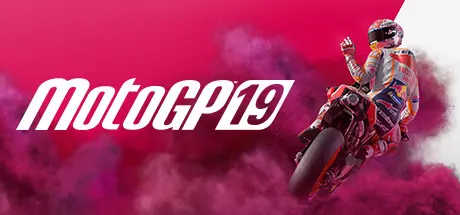
MotoGP 19 Free Download (Build 4909173 + Historical Pack DLC)
Featured Replies

header.webp

Game Details

Release Name: MotoGP19

Game Version: Build 4909173

Release Date: 6 Jun, 2019

Publisher: Milestone S.r.l.

Developer: Milestone S.r.l.

Based On: CSF & Goldberg

MotoGP19 Direct Download - Game Review

All the adrenaline of the 2019 season right in your hands!
Race with all the official riders of the MotoGP, Moto2, Moto3, Red Bull MotoGP Rookies Cup classes and the new MotoE on 19 different tracks.

All the passion of the MotoGP from the 500 2-strokes to the Modern Era.
Access the Historical Challenges mode and relive the most exciting rivalries trough time attacks and specific scenarios to recreate the moments that shaped the history of the MotoGP.
- More than 50 legendary riders
- Over 35 bikes
- 3 additional historical tracks

Compete with a faster, smarter and more accurate AI based on machine learning that will identify your actions and react accordingly. The best racing experience ever is waiting for you!

Free your imagination with new tools and make your rider unique!
Create your style by choosing from the most complete selection of accessories and brands ever and have fun with the new graphic editors! Combine fonts and shapes to customise your helmet, lower back patch and racing number or download the ones created by other players!

Designed for all types of players, from rookies to veterans of the series!
Choose whether to follow Career and climb the leaderboards, right up to MotoGP or to focus on the Pro Career and race like a real pro!


Game Screenshots

screenshot screenshot screenshot screenshot


Game Trailer


System Requirements

Minimum Requirements

Recommended Requirements

OS

Windows 7 64-Bit or later

Windows 7 64-Bit or later

Processor

Intel Core i5-2500, AMD FX-8100 or equivalent

Intel Core i7-6700K, AMD Ryzen 7 1700X or equivalent

Memory

8 GB RAM

16 GB RAM

Graphics

NVIDIA GeForce GTX 1050 with 2 GB VRAM or more / AMD Radeon HD 7950 with 2 GB VRAM or more

NVIDIA GeForce GTX 1060 with 6 GB VRAM or more | AMD Radeon RX 480 with 4 GB VRAM or more

DirectX

Version 11

Version 11

Storage

16 GB available space

16 GB available space


Installation Guide

  1. No Installation Needed: The game is pre-installed. Just download and extract.

  2. Extract: Right-click the .zip or .rar file and select "Extract Here" or "Extract to folder".

  3. Run: Find motogp19.exe inside the folder and run it.

Game Data & Settings

  • Change Language: Edit the file located at steam_settings/Configs.user.ini

  • %USERPROFILE%/AppData/Local/motogp19/Saved/SaveGames/

Important Notes

DLC List

Added DLCs

MotoGP19 - Historical Pack

🔥DOWNLOAD AREA🔥

🔹16.61 GB🔹

Select the server you want to download with ZeiLink.

Download

  • Views 193
  • Created
  • Last Reply

Posted Images

Create an account or sign in to comment

Recently Browsing 0

  • No registered users viewing this page.

Account

Navigation

Search

Search

🔎 Search Tip
For exact results, search using "game name" .
Without quotes, results may include unrelated titles.

Configure browser push notifications

Chrome (Android)
  1. Tap the lock icon next to the address bar.
  2. Tap Permissions → Notifications.
  3. Adjust your preference.
Chrome (Desktop)
  1. Click the padlock icon in the address bar.
  2. Select Site settings.
  3. Find Notifications and adjust your preference.
