



Skip to content
View in the app

A better way to browse. Learn more.

ZeiGames

A full-screen app on your home screen with push notifications, badges and more.

To install this app on iOS and iPadOS
  1. Tap the Share icon in Safari
  2. Scroll the menu and tap Add to Home Screen.
  3. Tap Add in the top-right corner.
To install this app on Android
  1. Tap the 3-dot menu (โ‹ฎ) in the top-right corner of the browser.
  2. Tap Add to Home screen or Install app.
  3. Confirm by tapping Install.

Arms Trade Tycoon: Tanks Free Download (Build 23853469)
Featured Replies

header.webp

Game Details

Release Name:ย Arms Trade Tycoon: Tanks

Game Version:ย Build 23853469

Release Date: 6 Feb, 2024

Publisher: MicroProse Software

Developer: FunGi

Based On:ย CSF & Goldberg

Arms Trade Tycoon: Tanks Direct Download - Game Review

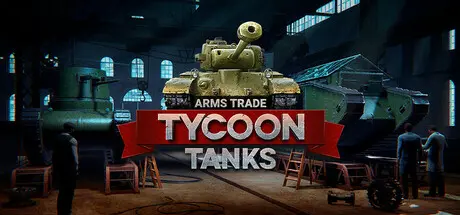
โ€œArms Trade Tycoon: Tanksโ€ is a tycoon simulation game that puts you in charge of a small and young arms trading company, specializing in constructing and selling tanks all around the world. Shape the history of tank warfare as you research, design, produce and sell the ultimate fighting machines from the dawn of tank warfare to modern times. Every design decision you make will be tested on the battlefield starting from small skirmishes to world wars. Every business you engage in will affect your company and change the world history. Grow your arms trade empire, monopolize the markets and prove yourself worthy to be called a true Arms Tycoon and Tank Designer!

Recreate world-famous tank models or design your own unique fighting vehicles from a multitude of tank components. Adapt your tanks to new challenges and environments with the help of various improvements. Extend the life of your tank models by introducing new powerful upgrade packages and modernisations!

Test your designs directly by being in the driver seat of your own tank! Put your vehicle through its paces by navigating obstacles, shooting its armament and controlling it through an entire trial range or simply have fun trying out your steel beasts

Fine tune every single tank component with the help of modifications to match upcoming challenges. Acquire your opponentโ€™s tank models and reverse-engineer them to gain access to rare tank components. Use cutting-edge technologies from various tank schools to create decisive instruments of war that the world has never seen!

Embark on a journey as a renowned worldwide tank designer, selling your cutting-edge tanks to diverse countries. Each nation presents unique tank demands, military doctrines, political systems, and resource accessibility. Guide your company to success through the turbulence of conflicts and world wars!


Game Screenshots

screenshot screenshot screenshot screenshot


Game Trailer


System Requirements

Minimum Requirements

Recommended Requirements

OS

Windows 7 (64-bit) or newer

Windows 7 (SP1+) and Windows 10

Processor

Intel Core i3 2100 / AMD Phenom II X4 955 BE

intel core i7-4000 (or equivalent)

Memory

8 GB RAM

16 GB RAM

Graphics

GeForce GTX 570 / Radeon HD 6970

RTX 3060 / Radeon RX 5700 dx11+

DirectX

Version 11

Version 11

Storage

8 GB available space

20 GB available space


Installation Guide

  1. No Installation Needed: The game is pre-installed. Just download and extract.

  2. Extract: Right-click the .zip or .rar file and select "Extract Here" or "Extract to folder".

  3. Run: Find Arms Trade Tycoon: Tanks.exe inside the folder and run it.

Game Data & Settings

  • Change Language: Edit the file located at steam_settings/Configs.user.ini

Important Notes

๐Ÿ”ฅDOWNLOAD AREA๐Ÿ”ฅ

๐Ÿ”น4 GB๐Ÿ”น

Select the server you want to download with ZeiLink.

Download

  • Replies 1
  • Views 590
  • Created
  • Last Reply

Top Posters In This Topic

Posted Images

Create an account or sign in to comment

Recently Browsing 0

  • No registered users viewing this page.

Account

Navigation

Search

Search

๐Ÿ”Ž Search Tip
For exact results, search using "game name" .
Without quotes, results may include unrelated titles.

Configure browser push notifications

Chrome (Android)
  1. Tap the lock icon next to the address bar.
  2. Tap Permissions โ†’ Notifications.
  3. Adjust your preference.
Chrome (Desktop)
  1. Click the padlock icon in the address bar.
  2. Select Site settings.
  3. Find Notifications and adjust your preference.
