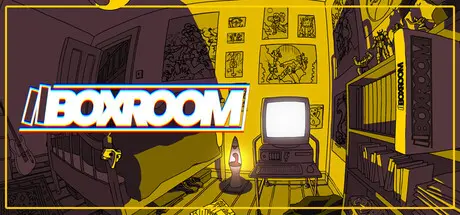
June 25Jun 25 BOXROOM Game DetailsRelease Name: BOXROOMGame Version: v0.17.7.2 | Build 24517722Release Date: 11 Jun, 2026Publisher: PantaloonDeveloper: Nested Loop StudiosBased On: CSF & GoldbergBOXROOM Direct Download - Game OverviewDo you miss running your finger along the spines of all your game boxes, deciding what you might be in the mood to play? Do you long for instruction manuals, inlays, and that intoxicating plasticky smell when you crack open a new box and bury your nose inside. Ahhh. BOXROOM is a shrine to all of that; a little space to call your own, and a way to explore and interact with your game library in a more meaningful way. It's a throwback to the bedrooms and game-spaces of yesteryear - a place for shelves, cabinets and curated displays, for posters, figurines and collectors items. Build, design and arrange your game roomPopulate your shelves with your actual game library, direct from SteamSearch the BoxCo Catalogue for your preferred furniture and furnishingsSecret figures, collector's editions and upgrades based on certain games - how many are hiding in your collection?Pick up, inspect and re-arrange your game-boxes as you see fitBoot your games....from BOXROOM!Share your rooms with friends and show off your collectionIntegrate your own items and textures with Steam Workshop functionality.BOXROOM Screenshots BOXROOM TrailerBOXROOM System RequirementsMinimum RequirementsRecommended RequirementsOSWindows 7 SP1+ (64-bit recommended)Windows 10/11, 64-bitsProcessorIntel Core i3-2100 / AMD FX-6300 or betterIntel Core i5 4690K / AMD Ryzen 5 1500xMemory2 GB RAM-GraphicsIntegrated Graphics (Intel HD 4000 or equivalent)NVidia GeForce 1080 GTX /AMD RX 5700DirectXVersion 10Version 11Storage1 GB available space2 GB available spaceHow to Install BOXROOMNo Installation Needed: The game is pre-installed. Just download and extract.Extract: Right-click the .zip or .rar file and select "Extract Here" or "Extract to folder".Run: Find BOXROOM.exe inside the folder and run it.Game Data & SettingsChange Language: Edit the file located at steam_settings/Configs.user.iniSave Data Location: %USERPROFILE%/AppData/LocalLow/NestedLoop\BOXROOM\SavesImportant NotesTo support the Game Developer, Get It On Steam.🔥DOWNLOAD AREA🔥🔹1.12 GB🔹Select the server you want to download with ZeiLink.Download





Create an account or sign in to comment