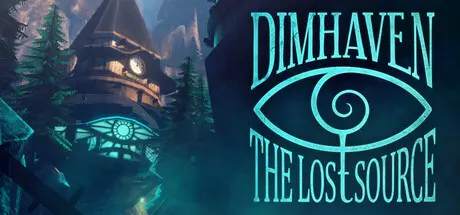
June 24Jun 24 Dimhaven - The Lost Source Game DetailsRelease Name: Dimhaven - The Lost SourceGame Version: v1.03 | Build 23885609Release Date: 23 Jun, 2026Publisher: Blue Brain Games, Zadbox EntertainmentDeveloper: Zadbox EntertainmentBased On: CSF & GoldbergDimhaven - The Lost Source Direct Download - Game OverviewDimhaven is a remote island in the middle of nowhere, covered with mountains,shrouded in mist and desolation. The once lively tourist paradise is now left almost completely abandoned and isolated by the mysterious events of the last few years.A mixture of adventure, puzzle solving and exploration-driven storytelling like never seen before: Dimhaven is a story we’ve wanted to tell for years. Pick up your camera and test your wits in this first-person mystery by the team that brought you Quern!Dimhaven is the new project from the developers of Quern. An immersive, narrative-driven adventure, where you take on the role of Emily Ravenstone on a mission to find your uncle on the strange island.Dimhaven - The Lost Source Screenshots Dimhaven - The Lost Source TrailerDimhaven - The Lost Source System Requirements Minimum RequirementsRecommended Requirements OSWindows 10- ProcessorIntel Core i5 2.5 GHz or AMD equivalent- Memory4 GB RAM- GraphicsGTX 1060 / RX 580- DirectX-- Storage2 GB available space- How to Install Dimhaven - The Lost SourceNo Installation Needed: The game is pre-installed. Just download and extract.Extract: Right-click the .zip or .rar file and select "Extract Here" or "Extract to folder".Run: Find Dimhaven - The Lost Source.exe inside the folder and run it.Game Data & SettingsChange Language: Edit the file located at steam_settings/Configs.user.iniSave Data Location: %USERPROFILE%/AppData/LocalLow/Zadbox Entertainment/Dimhaven - The Lost SourceImportant NotesTo support the Game Developer, Get It On Steam.🔥DOWNLOAD AREA🔥🔹1.25 GB🔹Select the server you want to download with ZeiLink.Download





Create an account or sign in to comment