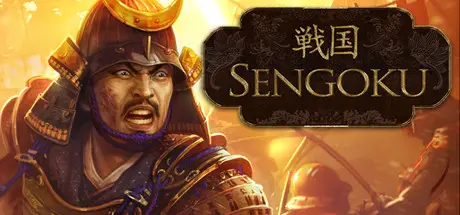
June 24Jun 24 Sengoku Game DetailsRelease Name: SengokuGame Version: v37623Release Date: 15 Sep, 2011Publisher: Paradox InteractiveDeveloper: Paradox Development StudioBased On: GOGSengoku Direct Download - Game Overview Sengoku is a deep character driven strategy game set in 16th century Japan. Play as a Japanese nobleman and unite the land of the Rising Sun under your iron fist. Use your military might, your smooth talking tongue, and your guile to increase your power. Watch your enemies fall like cherry blossoms in the early dawn of spring. Doublecross your enemies in an honorable and auspicious manner. Always make sure you have competent heir, if you should die before your destiny has been reached.Play as a Feudal Japanese Lord and manage your relations with family, friends, and enemiesRise in influence and power inside your clan and then move on to claim the ultimate prize, the control of JapanConquer and grow while rewarding your most valued retainers as you make a bid to become ShogunDetailed historical map of Japan, divided into over 350 different provinces, during the Warring States eraManage your relations with three different religious factions, the Shinto, the Christians and the BuddhistsEmploy the aid of powerful Ninja clans when your Samurai armies are not enoughSengoku Screenshots Sengoku System Requirements Minimum RequirementsRecommended Requirements OSWindows XP, Vista, 7- ProcessorIntel® Pentium® IV 2.4 GHz or AMD 3500+- Memory2 Gb RAM- GraphicsNVIDIA® GeForce 8800 or ATI Radeon® X1900- DirectX9.0c- Storage-- How to Install SengokuNo Installation Needed: The game is pre-installed. Just download and extract.Extract: Right-click the .zip or .rar file and select "Extract Here" or "Extract to folder".Run: Find SengokuGame.exe inside the folder and run it.Important NotesTo support the Game Developer, Get It On Steam.🔥DOWNLOAD AREA🔥🔹1.18 GB🔹Select the server you want to download with ZeiLink.Download





Create an account or sign in to comment