



Skip to content
View in the app

A better way to browse. Learn more.

ZeiGames

A full-screen app on your home screen with push notifications, badges and more.

To install this app on iOS and iPadOS
  1. Tap the Share icon in Safari
  2. Scroll the menu and tap Add to Home Screen.
  3. Tap Add in the top-right corner.
To install this app on Android
  1. Tap the 3-dot menu (โ‹ฎ) in the top-right corner of the browser.
  2. Tap Add to Home screen or Install app.
  3. Confirm by tapping Install.

Assetto Corsa Competizione Free Download (v1.10.4 + ALL DLC)
Featured Replies

header.webp

Game Details

Release Name:ย Assetto Corsa Competizione

Game Version:ย v1.10.4 | Build 21257365

Release Date:ย 29 May, 2019

Publisher:ย 505 Games

Developer:ย Kunos Simulazioni

Based On:ย CSF & Goldberg

Assetto Corsa Competizione Direct Download - Game Review

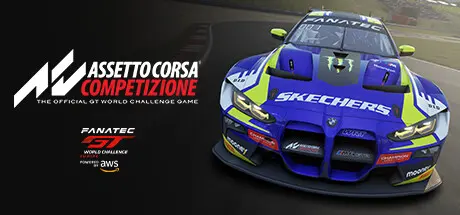
Assetto Corsa Competizione is designed to faithfully recreate the performance and the driving experience of real GT World Challenge cars through a sophisticated mathematical model that accurately replicates tyre grip, aerodynamic impact, engine parameters, suspensions and electronics systems that determine vehicle balance, as well as the influence of mechanical damage on the car's drivability.

Unreal Engine 4 guarantees photorealistic rendering and an accurate representation of scenarios, car materials and weather conditions. Thanks to the multi-channel audio sampling of real GT cars, the game conveys captivating and immersive acoustic surroundings and realistic environmental effects.

Even the secondary details are faithfully reproduced to make you feel the thrill of being in the cockpit of a real racing car. Doors, windshield wipers, headlights, racing lights, racing equipment and control devices such as ABS, traction control, engine ignition and ECU mapping, are all under the driverโ€™s management to assure the best performance and offer the player total control of the car.

Thanks to Laserscan technology, every official circuit is recreated with the utmost accuracy: all curbs and details perfectly fit their real counterparts to grant a gaming experience as faithful to reality as possible.


Game Screenshots

screenshotย screenshotย screenshotย screenshot


Game Trailer


System Requirements

Minimum Requirements

Recommended Requirements

OS

Windows 10 x64 20H2 (October 2020 Update)

Windows 10 x64 - 21H2

Processor

Intel Core i5-4460 or AMD FX-8120

Intel Core i5-8600K or AMD Ryzen 5 2600X

Memory

4 GB RAM

16 GB RAM

Graphics

GeForce GTX 750 4GB, Radeon RX 460 4GB

GeForce GTX 1070 8 GB, Radeon RX 580 8GB

DirectX

Version 11

Version 11

Storage

50 GB available space

50 GB available space


Installation Guide

  1. No Installation Needed: The game is pre-installed. Just download and extract.

  2. Extract: Right-click theย .zipย orย .rarย file and select "Extract Here" or "Extract to folder".

  3. Run: Findย Launcher.exeย inside the folder and run it.

Game Data & Settings

  • Change Language: Edit the file located atย steam_settings/Configs.user.ini

Important Notes

DLC List

Added DLCs

Assetto Corsa Competizione - 24H Nรผrburgring Pack

Assetto Corsa Competizione - GT2 Pack

Assetto Corsa Competizione - 2023 GT World Challenge Pack

Assetto Corsa Competizione - American Track Pack

Assetto Corsa Competizione - Challengers Pack

Assetto Corsa Competizione - British GT Pack

Assetto Corsa Competizione - 2020 GT World Challenge Pack

Assetto Corsa Competizione - GT4 Pack

Assetto Corsa Competizione - Intercontinental GT Pack

๐Ÿ”ฅDOWNLOAD AREA๐Ÿ”ฅ

๐Ÿ”น18.58 GB๐Ÿ”น

Select the server you want to download with ZeiLink.

Download

  • Replies 2
  • Views 474
  • Created
  • Last Reply

Top Posters In This Topic

Most Popular Posts

Posted Images

Create an account or sign in to comment

Recently Browsing 0

  • No registered users viewing this page.

Account

Navigation

Search

Search

๐Ÿ”Ž Search Tip
For exact results, search using "game name" .
Without quotes, results may include unrelated titles.

Configure browser push notifications

Chrome (Android)
  1. Tap the lock icon next to the address bar.
  2. Tap Permissions โ†’ Notifications.
  3. Adjust your preference.
Chrome (Desktop)
  1. Click the padlock icon in the address bar.
  2. Select Site settings.
  3. Find Notifications and adjust your preference.
