



Skip to content
View in the app

A better way to browse. Learn more.

ZeiGames

A full-screen app on your home screen with push notifications, badges and more.

To install this app on iOS and iPadOS
  1. Tap the Share icon in Safari
  2. Scroll the menu and tap Add to Home Screen.
  3. Tap Add in the top-right corner.
To install this app on Android
  1. Tap the 3-dot menu (โ‹ฎ) in the top-right corner of the browser.
  2. Tap Add to Home screen or Install app.
  3. Confirm by tapping Install.

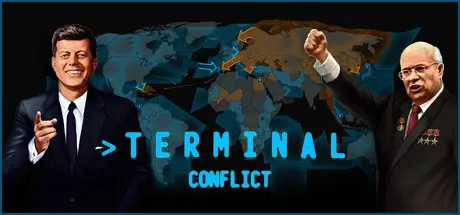
Terminal Conflict Free Download (Build 22720966 + ALL DLC)
Featured Replies

header.webp

Game Details

Release Name:ย Terminal Conflict

Game Version:ย Build 22720966

Release Date: 24 Sep, 2020

Publisher: Strategy Mill

Developer: Strategy Mill, BL-Logic, Scribble Pad Studios, Polywickstudio

Based On:ย CSF & Goldberg

Terminal Conflict Direct Download - Game Review

Command history in this most definitive Cold War strategy game. Gain access to your retro terminal and assert dominance through strategic arms races and disarmaments. Balance the world on the brink of mutually assured destruction to ensure total victory!

Main Features:

โ€ข Command the most authentic Cold War strategy simulator
โ€ข Turn-based single-player strategy and head-to-head multiplayer
โ€ข MIRVIN, your retro computer, purpose built, AI guide, brilliantly voice acted by James Spence.
โ€ข Nuclear warfare systems and authentic Doomsday Clock tension mechanism, the countdown to midnight has started โ€ฆ 3 โ€ฆ2 โ€ฆ1
โ€ข All aspect strategic warfare - economic, intelligence, diplomacy and military combat.
โ€ข Era immersive, historically plausible events and decisions covering the period between 1946-1991
โ€ข Recruit 40+ unique historical leaders like Mao Zedong, Margaret Thatcher, or Ernesto ''Che'' Guevara brandishing their own special abilities.
โ€ข The Space Race is on! Will you claim technological superiority?
โ€ข Create and tell your own history through modding and customization with a powerful integrated in game editor


Game Screenshots

screenshot screenshot screenshot screenshot


Game Trailer


System Requirements

Minimum Requirements

Recommended Requirements

OS

Windows 7 64-bit or newer

Windows 7 64-bit or newer

Processor

Intelยฎ Pentiumยฎ IV 2.4 GHz eller AMD 3500+

Intel Core i5 750 @ 2.66 GHz / AMD Phenom II X4 955 @ 3.20 GHz

Memory

2 GB RAM

4 GB RAM

Graphics

NVIDIAยฎ GeForce 8800 or ATI Radeonยฎ X1900, 512mb video memory required

ATI Radeon HD 6950 or NVIDIA GeForce GTX570 with 2GB VRAM

DirectX

Version 9.0c

Version 9.0c

Storage

2 GB available space

2 GB available space


Installation Guide

  1. No Installation Needed: The game is pre-installed. Just download and extract.

  2. Extract: Right-click the .zip or .rar file and select "Extract Here" or "Extract to folder".

  3. Run: Find Game\TerminalConflict.exe inside the folder and run it.

Game Data & Settings

  • Change Language: Edit the file located at steam_settings/Configs.user.ini

Important Notes

DLC List

Added DLCs

Terminal Conflict: Eyes Only Edition (Terminal Conflict: Eyes Only Upgrade Pack)

Terminal Conflict: Flower Power Edition (Terminal Conflict: Flower Power Upgrade Pack)

Terminal Conflict: Supreme Commander Edition (Terminal Conflict: Supreme Commander Upgrade Pack)

๐Ÿ”ฅDOWNLOAD AREA๐Ÿ”ฅ

๐Ÿ”น436 MB๐Ÿ”น

Select the server you want to download with ZeiLink.

Download

  • Views 521
  • Created
  • Last Reply

Posted Images

Create an account or sign in to comment

Recently Browsing 0

  • No registered users viewing this page.

Account

Navigation

Search

Search

๐Ÿ”Ž Search Tip
For exact results, search using "game name" .
Without quotes, results may include unrelated titles.

Configure browser push notifications

Chrome (Android)
  1. Tap the lock icon next to the address bar.
  2. Tap Permissions โ†’ Notifications.
  3. Adjust your preference.
Chrome (Desktop)
  1. Click the padlock icon in the address bar.
  2. Select Site settings.
  3. Find Notifications and adjust your preference.
