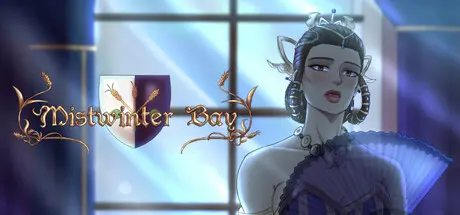
June 22Jun 22 Mistwinter Bay Game DetailsRelease Name: Mistwinter BayGame Version: v1.2.0.5 | Build 20058495Release Date: 15 Nov, 2024Publisher: Swordlake EntertainmentDeveloper: Swordlake EntertainmentBased On: CSF & GoldbergMistwinter Bay Direct Download - Game OverviewYou are the sovereign of a town called Mistwinter Bay. The sovereign you create decides the fate of the town and everyone in it. Decide which buildings to build and who gets to live in town. Interact with your townsfolk by sending them on missions or hang out one-on-one. Each character is unique, with their own profession, personal history and strengths and weaknesses. Deal with international politics by befriending or becoming enemies with powerful foreign leaders. Watch the seasons pass as you are faced with a unique, random event every month. The way you decide to handle an event not only affects the ending of the event itself, but the entire town. Will you become a sovereign loved by all or will you adapt your choices to please someone in town – or perhaps someone across the sea?Create the sovereign you want to be with the powerful character creator. Choose between a variety of body types, faces, hairstyles, outfits and accessories, with the ability to color most aspects freely. All options are available for all types of sovereigns.The town of Mistwinter Bay is home to all sorts of people. There are three townsfolk at your service from the start, ready to be sent to handle tasks in events if you ask them to, but more can move in by expanding the town with additional buildings. You can hang out with the locals one-on-one, if your reputation is good enough. Eventually, this may even lead to marriage. Keep in mind, however, that they are their own individuals, with their own opinions, and they may like or dislike you based on your actions. If you are unlucky – or cruel – your actions may even spell their death.At your assistance are your two advisers – Jacques and Sophia – who keep you updated on any and all things going on in Mistwinter Bay and beyond. Trust your advisers or go against them during random, unique events that occur every month. The choices you make in these events may affect individual townsfolk, the entire town, and maybe even places beyond it.Mistwinter Bay Screenshots Mistwinter Bay TrailerMistwinter Bay System Requirements Minimum RequirementsRecommended Requirements OSWindows 10Windows 10 ProcessorAMD A10-8700PIntel Core i3-4150 Memory8 GB RAM8 GB RAM GraphicsAMD Radeon R6 GraphicsNVIDIA GeForce GTX 750 Ti DirectX-- Storage2 GB available space2 GB available space How to Install Mistwinter BayNo Installation Needed: The game is pre-installed. Just download and extract.Extract: Right-click the .zip or .rar file and select "Extract Here" or "Extract to folder".Run: Find Mistwinter Bay.exe inside the folder and run it.Game Data & SettingsChange Language: Edit the file located at steam_settings/Configs.user.iniImportant NotesTo support the Game Developer, Get It On Steam.🔥DOWNLOAD AREA🔥🔹1.69 GB🔹Select the server you want to download with ZeiLink.Download





Create an account or sign in to comment