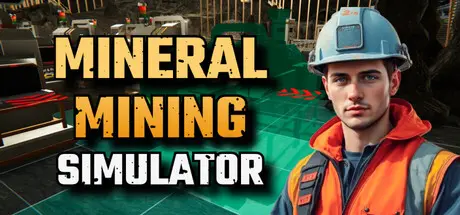
June 20Jun 20 Mineral Mining Simulator Game DetailsRelease Name: Mineral Mining SimulatorGame Version: v0.5.65 | Build 23927962Release Date: 14 May, 2026Publisher: Bewolba StudiosDeveloper: Bewolba StudiosBased On: CSF & GoldbergMineral Mining Simulator Direct Download - Game OverviewMine ore, process it into fragments, and refine them into valuable gemstones. Build and optimize your production line from extraction to cutting and polishing. A stable supply and efficient management will determine how fast your operation grows.Build your production chain using a variety of machines and utilities. Place equipment with intent, connect each stage, and keep materials moving without stalls. As new machines unlock, you can expand into parallel lines, higher throughput setups, and smoother automation.Grow from a compact mining facility into a larger operation with greater capacity and more processing options. Expansion is not just about adding space. It is a chance to redesign your workflow, remove bottlenecks, and improve overall stability.Bring in employees to handle routine work so your operation stays active while you focus on planning, upgrading, and improving efficiency.Build it step by step, improve the flow one bottleneck at a time, and enjoy the moment when a rough ore pipeline turns into a reliable gemstone factory.Mineral Mining Simulator Screenshots Mineral Mining Simulator TrailerMineral Mining Simulator System Requirements Minimum RequirementsRecommended Requirements OSWindows 10 64bitWindows 10 64bit ProcessorAMD Ryzen 5 1600 / Intel Core i5-8400AMD Ryzen 5 3600 / Intel Core i7 7700K Memory8 GB RAM16 GB RAM GraphicsGeForce GTX 970GeForce GTX 1060 6GB DirectXVersion 11Version 11 Storage10 GB available space10 GB available space How to Install Mineral Mining SimulatorNo Installation Needed: The game is pre-installed. Just download and extract.Extract: Right-click the .zip or .rar file and select "Extract Here" or "Extract to folder".Run: Find Mineral Mining Simulator.exe inside the folder and run it.Game Data & SettingsChange Language: Edit the file located at steam_settings/Configs.user.iniSave Data Location: %USERPROFILE%/AppData/LocalLow/Bewolba Studios/Mineral Mining SimulatorImportant NotesTo support the Game Developer, Get It On Steam.🔥DOWNLOAD AREA🔥🔹2.13 GB🔹Select the server you want to download with ZeiLink.Download





Create an account or sign in to comment