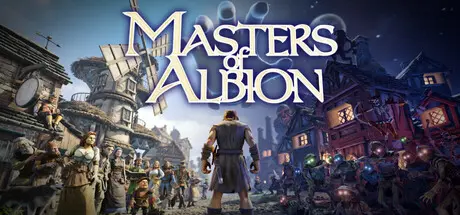
June 19Jun 19 Masters of Albion Game DetailsRelease Name: Masters of AlbionGame Version: v1.3 | Build 23615930Release Date: 22 Apr, 2026Publisher: 22cansDeveloper: 22cansBased On: CSF & GoldbergMasters of Albion Direct Download - Game OverviewMasters of Albion is a god game where you don’t just shape the world - you can step into it.Build your town, guide your people and decide how Albion survives.Every choice has consequences, and no two paths are the same...Now it returns, creeping back into the world, draining the life from its people and reshaping everything it touches.You are chosen to wield its power.Granted the abilities of a god, you must guide, protect and shape Albion as you see fit - building a world strong enough to withstand what’s coming.An ancient force is rising.What you create will decide whether Albion survives it.Masters of Albion Screenshots Masters of Albion TrailerMasters of Albion System Requirements Minimum RequirementsRecommended Requirements OSWindows® 10 (64-bit)Windows® 10/11 64-bit ProcessorIntel Core i5-8400 / AMD Ryzen 5 2600Intel Core i5-11600 / AMD Ryzen 5 5600X Memory8 GB RAM16 GB RAM GraphicsNVIDIA GeForce RTX 2060 / GTX 1660 Super / AMD Radeon RX 5600 XTNVIDIA GeForce RTX 3060 / AMD Radeon RX 6600 DirectXVersion 11Version 11 Storage20 GB available space20 GB available space How to Install Masters of AlbionNo Installation Needed: The game is pre-installed. Just download and extract.Extract: Right-click the .zip or .rar file and select "Extract Here" or "Extract to folder".Run: Find moa.exe inside the folder and run it.Game Data & SettingsChange Language: Edit the file located at steam_settings/Configs.user.iniSave Data Location: %USERPROFILE%/AppData/LocalLow/22cans/MOAImportant NotesTo support the Game Developer, Get It On Steam.🔥DOWNLOAD AREA🔥🔹6.54 GB🔹Select the server you want to download with ZeiLink.Download





Create an account or sign in to comment