



Skip to content
View in the app

A better way to browse. Learn more.

ZeiGames

A full-screen app on your home screen with push notifications, badges and more.

To install this app on iOS and iPadOS
  1. Tap the Share icon in Safari
  2. Scroll the menu and tap Add to Home Screen.
  3. Tap Add in the top-right corner.
To install this app on Android
  1. Tap the 3-dot menu (⋮) in the top-right corner of the browser.
  2. Tap Add to Home screen or Install app.
  3. Confirm by tapping Install.

DreamWorks Gabby’s Dollhouse: Ready to Party Free Download (v1.0.2)
Featured Replies

header.webp

Game Details

Release Name: DreamWorks Gabby’s Dollhouse: Ready to Party

Game Version: v1.0.2 | Build 20267435

Release Date: 19 Sep, 2025

Publisher: Outright Games Ltd.

Developer: Infinigon S.L.

Based On: CSF & Goldberg

DreamWorks Gabby’s Dollhouse: Ready to Party Direct Download - Game Review

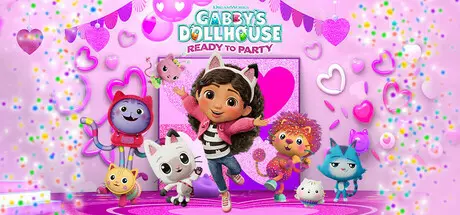
First stop, Crafting World with Mama and Baby Box. Get creative with items you find around the house. Then see what awaits you in the Fairy Tail Garden with Kitty Fairy. Does floating through space sound like a groovy plan? DJ Catnip thinks so. Boogie down to the music room and blast off to planet Caturn.

Every party needs the purr-fect cake. Join Cakey Cat to find gummy worms, cookies, sprinkles in Sweet Treat Mountain. Race over to the Playroom to learn how to leap over obstacles, duck under foam blocks and speed through hoops with Carlita. Dive into Mermaid-lantis with MerCat to see if you can find a treasure chest.
Take on challenges and play minigames solo or with friends in local co-op mode to find items for the party and get rewarded with outfits to customize Gabby. Add sparkle to an astronaut suit and top it off with a chef’s hat for an out-of-this-world look!


GET TINY WITH GABBY & PANDY PAWS: Play solo with Gabby or team up with friends in local co-op to have Pandy Paws join you.

EXPLORE THE WAY YOU WANT: Start in the Craft Room, then hop into the catavator to go to the Playroom, Bathroom, Kitchen, Party Room and Garden. Each place is full of magic.

PARTY WITH THE GABBY CATS: Pandy Paws, Cakey, Marty the Party Cat, CatRat, MerCat, DJ Catnip, Kitty Fairy, Pillow Cat, Carlita, Baby Box, Mama Box. Every Gabby Cat is ready to play.

GO WHERE YOUR IMAGINATION TAKES YOU: Leap into fun activities and minigames as you explore Gabby’s Dollhouse.
LEARN & GROW WITH GABBY: Get creative and try new hobbies with easy game controls suitable for little hands.

CELEBRATE IN STYLE: Personalize Gabby’s look and create a cat-tastic costume for every room.


Game Screenshots

screenshot screenshot screenshot screenshot


Game Trailer


System Requirements

Minimum Requirements

Recommended Requirements

OS

Windows 10 64-Bit

Windows 10 64-Bit

Processor

AMD Ryzen 5 2500X / Intel Core i5-8400

AMD Ryzen 5 2600X / Intel Core i5 8600k

Memory

8 GB RAM

8 GB RAM

Graphics

AMD Radeon R9 280 / Nvidia GTX 960

AMD Radeon R9 390x / Nvidia GTX 980

DirectX

Version 11

Version 11

Storage

16 GB available space

20 GB available space


Installation Guide

  1. No Installation Needed: The game is pre-installed. Just download and extract.

  2. Extract: Right-click the .zip or .rar file and select "Extract Here" or "Extract to folder".

  3. Run: Find GabbysDollhouse_ReadyToParty.exe inside the folder and run it.

Game Data & Settings

  • Change Language: Edit the file located at steam_settings/Configs.user.ini

Important Notes

🔥DOWNLOAD AREA🔥

🔹1.67 GB🔹

Select the server you want to download with ZeiLink.

Download

  • Views 173
  • Created
  • Last Reply

Posted Images

Create an account or sign in to comment

Recently Browsing 0

  • No registered users viewing this page.

Account

Navigation

Search

Search

🔎 Search Tip
For exact results, search using "game name" .
Without quotes, results may include unrelated titles.

Configure browser push notifications

Chrome (Android)
  1. Tap the lock icon next to the address bar.
  2. Tap Permissions → Notifications.
  3. Adjust your preference.
Chrome (Desktop)
  1. Click the padlock icon in the address bar.
  2. Select Site settings.
  3. Find Notifications and adjust your preference.
