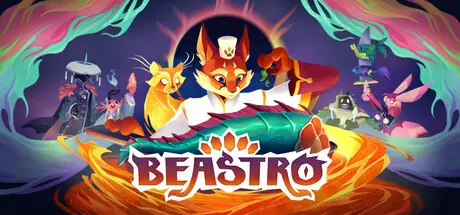
June 18Jun 18 Beastro Game DetailsRelease Name: BeastroGame Version: v1.0.2.0 | Build 23707174Release Date: 11 Jun, 2026Publisher: Timberline Studio, Kepler GhostDeveloper: Timberline StudioBased On: CSF & GoldbergBeastro Direct Download - Game OverviewIn Palo Pori, fresh is best! Gather ingredients and resources, care for animals and grow your own fruit and veg to build up your very own cozy town to table restaurant. Forage for wild herbs and unlock new seeds to grow to expand your meals.Chop, flip, and sizzle your way through mouthwatering mini-games as you whip up delightful dishes for the townsfolk. Good food is always better with company, so work hard to improve your cooking and experiment with ingredients, to keep your patrons happy.Tailor your restaurant to the tastes of your community, develop new meals, progress your know how through a skill tree and adjust the decor to increase your restaurant’s appeal.You’ll also need to feed the hungry Caretakers; these brave denizens of the land will venture out into the wilds to fight the ravenous monsters threatening the peace of Palo Pori. Each Caretaker hails from their own flavour region, affecting their own tastes and preferences: some like it bitter, some like it sweet and some are just looking to fulfil their craving of the day! Craft thoughtful meals and balance the flavour profiles to boost their spirits, sharpen their skills, and unlock new abilities. Because let’s face it… Who can save the world on an empty stomach?Now it’s time to put your meal to the test! This is where taste meets tactics. The dishes you serve will build your Caretaker’s deck – each ingredient unlocking a card. And once they’ve eaten, they’ll venture into the wilds to fight the monsters. Upon their return, they’ll recount their journey and play out their battles through a charming puppet theatre sequence. They might even bring you back some MONSTEROUS ingredients from their ventures. Fight the monsters in turn-based deck building combat, inspired by traditional trick-taking card games. Outplay the monsters, by matching their flavour magic or neutralising it with a balancing card. Add an enhancing card to power up your moves! Your magic can turn the tables!Beastro Screenshots Beastro TrailerBeastro System Requirements Minimum RequirementsRecommended Requirements OSWindows 10Windows 10 ProcessorIntel Core i5-4570 or AMD Ryzen 3 1200Intel Core i5-8400 or AMD Ryzen 5 2600 Memory6 GB RAM8 GB RAM GraphicsNVIDIA GeForce GTX 1630, 4 GB or AMD Radeon R9 390, 8 GBNVIDIA GeForce GTX 1080, 8 GB or AMD Radeon RX Vega 64, 8 GB DirectXVersion 12Version 12 Storage10 GB available space10 GB available space How to Install BeastroNo Installation Needed: The game is pre-installed. Just download and extract.Extract: Right-click the .zip or .rar file and select "Extract Here" or "Extract to folder".Run: Find Spinel_02.exe inside the folder and run it.Game Data & SettingsChange Language: Edit the file located at steam_settings/Configs.user.iniSave Data Location: %USERPROFILE%/AppData/Local/Spinel_02\Saved\SaveGamesImportant NotesTo support the Game Developer, Get It On Steam.🔥DOWNLOAD AREA🔥🔹2.29 GB🔹Select the server you want to download with ZeiLink.Download





Create an account or sign in to comment