



Skip to content
View in the app

A better way to browse. Learn more.

ZeiGames

A full-screen app on your home screen with push notifications, badges and more.

To install this app on iOS and iPadOS
  1. Tap the Share icon in Safari
  2. Scroll the menu and tap Add to Home Screen.
  3. Tap Add in the top-right corner.
To install this app on Android
  1. Tap the 3-dot menu (โ‹ฎ) in the top-right corner of the browser.
  2. Tap Add to Home screen or Install app.
  3. Confirm by tapping Install.

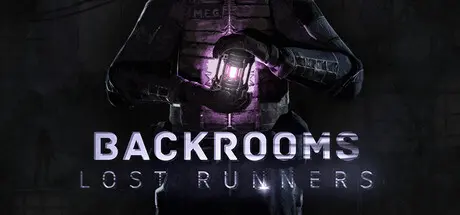
Backrooms Lost Runners Free Download (v0.4.296 + Online)
Featured Replies

header.webp

Game Details

Release Name:ย Backrooms Lost Runners

Game Version:ย v0.4.296 | Build 23785714

Release Date: 17 Jun, 2026

Publisher: ShimStudioGames

Developer: ShimStudioGames

Based On:ย CSF & Goldberg

Backrooms Lost Runners Direct Download - Game Review

Backrooms Lost Runners is a cooperative survival-horror experience where teamwork is your only real weaponย 

and even your voice can put you in danger.

Trapped inside the endless corridors of the Backrooms, you and your friends must explore abandoned camps, solve environmental puzzles, manage scarce resources, and survive encounters with entities that react to sound, light, and movement. Every dark hallway hides a threat. Every whisper can give you away. Every wrong decision can separate the group forever.


Venture through dimly lit corridors, abandoned shelters, and unstable spaces filled with oppressive silence, dynamic lighting, and realistic sound design. In the Backrooms, every footstep mattersย  and every moment of silence feels wrong.
Survival depends on communication, trust, and coordination. Share resources, split responsibilities, solve puzzles together, and make difficult choices as a team. Staying together is saferย  but sometimes the best loot is found far from the group.

Collaboration is crucial for survival. Manage your resources, coordinate tactics via voice chat, and make collective choices.
Face entities with different behaviors and weaknesses. Some react to sound. Some hunt through darkness. Some appear when your mind starts to break. Learn how they behave, stay quiet when needed, and use your environment to survive.
Darkness, fear, isolation, and supernatural events affect your mental state. Stay near light, heat sources, and safe areas to slow sanity loss. If your mind collapses, the Backrooms will begin to change around you.
Death is not the end. When you die, you are pulled into a surreal Tesseract realm where you must find a way back to life. But returning may cost you time, resources, and the safety of your team.

Discover journals, audio recordings, floppy disks, and unsettling traces of survivors. Piece together the timeline of the catastrophe, uncover the fates of those who were here before you, and find out what is really happening inside the Backrooms.


Game Screenshots

screenshot screenshot screenshot screenshot


Game Trailer


System Requirements

Minimum Requirements

Recommended Requirements

OS

Microsoft Windows 10 64-bit

Microsoft Windows 10 64-bit

Processor

i5-3570 3.4 GHz 4 Core or higher (or AMD equivalent)

i7-7700K 4.20 GHz or higher (or AMD equivalent)

Memory

8 GB RAM

16 GB RAM

Graphics

GTX 1050 ti or higher

RTX 3060

DirectX

-

-

Storage

6 GB available space

6 GB available space


Installation Guide

  1. No Installation Needed: The game is pre-installed. Just download and extract.

  2. Extract: Right-click the .zip or .rar file and select "Extract Here" or "Extract to folder".

  3. Run: Find BackroomsLostRunners.exe inside the folder and run it.

Multiplayer & Online (Optional)

  • Play Online: Download the Online Fix file and apply it to the game folder.

  • Please go to the online fix page and read the guide.

Game Data & Settings

  • Change Language: Edit the file located at steam_settings/Configs.user.ini

Important Notes

๐Ÿ”ฅDOWNLOAD AREA๐Ÿ”ฅ

๐Ÿ”น3.50 GB๐Ÿ”น

Select the server you want to download with ZeiLink.

Download

Online Fix - (RAR pass: rexagames.com)

  • Views 1.1k
  • Created
  • Last Reply

Posted Images

Create an account or sign in to comment

Recently Browsing 0

  • No registered users viewing this page.

Account

Navigation

Search

Search

๐Ÿ”Ž Search Tip
For exact results, search using "game name" .
Without quotes, results may include unrelated titles.

Configure browser push notifications

Chrome (Android)
  1. Tap the lock icon next to the address bar.
  2. Tap Permissions โ†’ Notifications.
  3. Adjust your preference.
Chrome (Desktop)
  1. Click the padlock icon in the address bar.
  2. Select Site settings.
  3. Find Notifications and adjust your preference.
