



Skip to content
View in the app

A better way to browse. Learn more.

ZeiGames

A full-screen app on your home screen with push notifications, badges and more.

To install this app on iOS and iPadOS
  1. Tap the Share icon in Safari
  2. Scroll the menu and tap Add to Home Screen.
  3. Tap Add in the top-right corner.
To install this app on Android
  1. Tap the 3-dot menu (โ‹ฎ) in the top-right corner of the browser.
  2. Tap Add to Home screen or Install app.
  3. Confirm by tapping Install.

Unravel Two Free Download (Build 10350821 + Win 11 Fix + Online)
Featured Replies

header.webp

Game Details

Release Name:ย Unravel Two

Game Version:ย Build 10350821

Release Date: 4 Jun, 2020

Publisher: Electronic Arts

Developer: Coldwood Interactive

Based On:ย CSF & CODEX + 0xZeOn Win11 Fix

Unravel Two Direct Download - Game Review

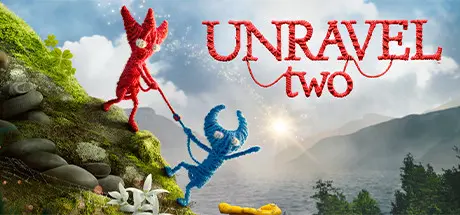
When you cut ties to the past, new bonds form. In Unravel Two, create a Yarny of your very own. Then build relationships with other Yarnys in local co-op or as a single player, fostering friendship and support as you journey together. Begin your adventure in a cold and imposing land, then watch your surroundings blossom with new life as you chase the spark of adventure. Dive into an immersive story filled with energy, exuberance, inspiration โ€” even monsters. Approach every challenge with positivity and fearlessness to awaken the world around you, and discover an unbreakable bond between friends.

  • Two Yarnys โ€“ always! Form a bond with friends and other players in seamless local co-op. Support each other as you solve tricky trials and seamlessly traverse enchanting worlds together. Or, as a single player, create two Yarnys of your own and unlock special abilities along your adventure.

  • World of wonders. Inspired by real Scandinavian locations, navigate beautiful natural landscapes and complex urban environments, seeing it all through the eyes of Yarny. As you progress, watch your world flourish and evolve, opening fresh challenges and spaces to explore.

  • Playful problem solving. Uncover a variety of ways to play. Jump, slide, swing and run faster than ever to chase the spark that connects you to others as you travel within a world of challenges and adventures.

  • Heartfelt storytelling. Enter a world where unique emotions manifest into friendly characters, fulfilling relationships and even intimidating monsters. How will you use hope and love to defeat doubt and fear? Connect to an engaging and dramatic story that demonstrates the power of positivity in the face of uncertainty.


Game Screenshots

screenshot screenshot screenshot screenshot


Game Trailer


System Requirements

Minimum Requirements

Recommended Requirements

OS

Windows 7 64-bit, 8.1 64-bit OR Windows 10 64-bit

Windows 7 64-bit, 8.1 64-bit OR Windows 10 64-bit

Processor

Intel i3 2120 @ 3.3GHz OR AMD FX 4350 @ 4.2 GHz

Intel i5 2300 @ 2.8GHz OR AMD FX 6100 @ 3.3 GHz

Memory

4 GB RAM

6 GB RAM

Graphics

ATI Radeon R7 250X OR Nvidia GTX 650Ti

ATI Radeon R9 270 OR Nvidia GTX 670

DirectX

Version 11

Version 11

Storage

8 GB available space

8 GB available space


Installation Guide

  1. No Installation Needed: The game is pre-installed. Just download and extract.

  2. Extract: Right-click the .zip or .rar file and select "Extract Here" or "Extract to folder".

  3. Run: Find UnravelTwo.exe inside the folder and run it.

Multiplayer & Online (Optional)

  • Play Online: Download the Online Fix file and apply it to the game folder.

  • Please go to the online fix page and read the guide.

Important Notes

๐Ÿ”ฅDOWNLOAD AREA๐Ÿ”ฅ

๐Ÿ”น6.20 GB๐Ÿ”น

Select the server you want to download with ZeiLink.

Download

Online Fix - (RAR pass: rexagames.com)

  • Views 699
  • Created
  • Last Reply

Posted Images

Create an account or sign in to comment

Recently Browsing 0

  • No registered users viewing this page.

Account

Navigation

Search

Search

๐Ÿ”Ž Search Tip
For exact results, search using "game name" .
Without quotes, results may include unrelated titles.

Configure browser push notifications

Chrome (Android)
  1. Tap the lock icon next to the address bar.
  2. Tap Permissions โ†’ Notifications.
  3. Adjust your preference.
Chrome (Desktop)
  1. Click the padlock icon in the address bar.
  2. Select Site settings.
  3. Find Notifications and adjust your preference.
