



Skip to content
View in the app

A better way to browse. Learn more.

ZeiGames

A full-screen app on your home screen with push notifications, badges and more.

To install this app on iOS and iPadOS
  1. Tap the Share icon in Safari
  2. Scroll the menu and tap Add to Home Screen.
  3. Tap Add in the top-right corner.
To install this app on Android
  1. Tap the 3-dot menu (โ‹ฎ) in the top-right corner of the browser.
  2. Tap Add to Home screen or Install app.
  3. Confirm by tapping Install.

Don't Let It Starve Free Download (v1.1.1 + Supporter Pack DLC)
Featured Replies

header.webp

Game Details

Release Name:ย Don't Let It Starve

Game Version:ย v1.1.1 | Build 23727812

Release Date: 12 Jun, 2026

Publisher: Black Lantern Collective

Developer: Eduardo Scarpato

Based On:ย CSF & Goldberg

Don't Let It Starve Direct Download - Game Review

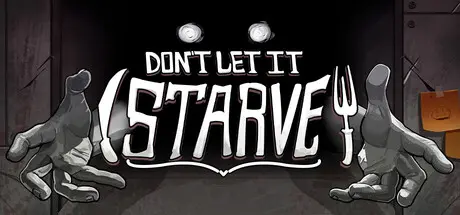
Assemble your ingredients on a variety of bento shapes and sizes to maximize space and flavor. Master unique combos and modifiers to raise your score to ever increasing heights. Choose ingredients wisely and optimize your layout to fit as much as possible. Don't despair, there's a light at the end of that tunnel... With 10 unique hats and over 100 tools, there's limitless build possibilities to experiment wtih. Push your luck to the limit and weigh your risks and rewards. Go all in on Bread and fail miserably when you fail to roll your combo. Get gud and try again. There's countless ways to win (or fail horribly).

Unlockable hats, challenge modes, tools, and secret puzzles fill the game with dozens of hours of content. Try out weird shit and see what it unlocks. See if you can master the increasingly punishing challenges for rewards and bragging rights. Go infinite even harder than your friends in the challenge mode. Uncover the secret ending. We stuffed the game with content.ย 

  • Master the Combosย - It'll take more than just fitting food on a grid to win. Learn the synergies, ramp up your combos, and crank your score into the stratosphere.

  • Meta-Progression โ€“ Unlock new tools, upgrades, and run modifiers that change future attempts.

  • 120+ Unique Items & Synergies โ€“ Experiment with a huge variety of tools and effects to create deadly-efficient strategies.

  • Bento Building Action! - We all love the Resident Evil 4 inventory system. Now do it with food.

  • Uncover the Secrets - We got tons of secret stuff to uncover. There's like a whole escape room thing. Find the clues and get that juicy L O R E !

  • Meaningfulย Challenge Modes - New challenges don't just ramp up the needed score, but they also add new features that work with new tools to create a unique experience that doesn't feel like an afterthought.

  • Endless Mode โ€“ Push your skills (and your luck) to the limit in an infinite survival challenge.

  • Tense Atmosphere โ€“ You're not alone in the kitchen.


Game Screenshots

screenshot screenshot screenshot screenshot


Game Trailer


System Requirements

Minimum Requirements

Recommended Requirements

OS

Windows 7 or higher

-

Processor

Intel i3 (4th generation) or equivalent

-

Memory

2 GB RAM

-

Graphics

Most dedicated GPUs are supported

-

DirectX

-

-

Storage

512 MB available space

-


Installation Guide

  1. No Installation Needed: The game is pre-installed. Just download and extract.

  2. Extract: Right-click the .zip or .rar file and select "Extract Here" or "Extract to folder".

  3. Run: Find Launcher.exe inside the folder and run it.

Game Data & Settings

  • Change Language: Edit the file located at steam_settings/Configs.user.ini

  • Save Data Location: %USERPROFILE%/AppData/Roaming/Godot/app_userdata/Don't Let It Starve/save_files

Important Notes

DLC List

Added DLCs

Don't Let It Starve - Supporter Pack

๐Ÿ”ฅDOWNLOAD AREA๐Ÿ”ฅ

๐Ÿ”น178 MB๐Ÿ”น

Select the server you want to download with ZeiLink.

Download

  • Views 550
  • Created
  • Last Reply

Posted Images

Create an account or sign in to comment

Recently Browsing 0

  • No registered users viewing this page.

Account

Navigation

Search

Search

๐Ÿ”Ž Search Tip
For exact results, search using "game name" .
Without quotes, results may include unrelated titles.

Configure browser push notifications

Chrome (Android)
  1. Tap the lock icon next to the address bar.
  2. Tap Permissions โ†’ Notifications.
  3. Adjust your preference.
Chrome (Desktop)
  1. Click the padlock icon in the address bar.
  2. Select Site settings.
  3. Find Notifications and adjust your preference.
