



Skip to content
View in the app

A better way to browse. Learn more.

ZeiGames

A full-screen app on your home screen with push notifications, badges and more.

To install this app on iOS and iPadOS
  1. Tap the Share icon in Safari
  2. Scroll the menu and tap Add to Home Screen.
  3. Tap Add in the top-right corner.
To install this app on Android
  1. Tap the 3-dot menu (โ‹ฎ) in the top-right corner of the browser.
  2. Tap Add to Home screen or Install app.
  3. Confirm by tapping Install.

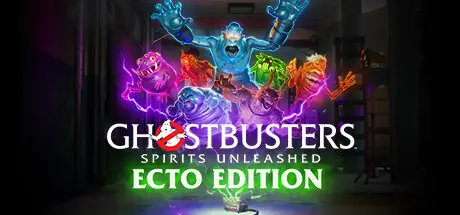
Ghostbusters: Spirits Unleashed Ecto Edition Free Download (v1.11 + Contract Access Pack DLC + Online)

Featured Replies

header.webp

Game Details

Release Name:ย Ghostbusters: Spirits Unleashed Ecto Edition

Game Version:ย v1.11 | Build 17070798

Release Date: 19 Oct, 2023

Publisher: IllFonic Publishing

Developer: IllFonic

Based On:ย CSF & Goldberg

Ghostbusters: Spirits Unleashed Ecto Edition Direct Download - Game Review

This is an asymmetrical game of hide and seek. In true form to IllFonicโ€™s past titles, this title is a 4v1 setup where players will either play as part of a team of new Ghostbusters or a singular Ghost. This game will allow players to enjoy the game solo or with up to four friends. It will have an online and offline single-player mode available in the form of bot assisted play.

Ghostbusters: Spirits Unleashed Ecto Edition has all the iconic gear and gadgets, from Proton Packs to PKE Meters and Ghost Traps, that fans would expect and new gamers to the universe will enjoy when playing as a Ghostbuster. Ghosts have multiple abilities in their arsenal, like possessing objects, of course sliming, and more, that make haunting all the various locations a blast to play. In addition, many will recognize the Firehouse and Rayโ€™s Occult Books that act as the gameโ€™s hub. This is where players will choose missions, customize their characters, practice firing their proton packs, and explore all there is to learn. And yes, you will hear the original film actors reprising their roles as Ray Stantz and Winston Zeddemore, along with some new friends!


Game Screenshots

screenshot screenshot screenshot screenshot


Game Trailer


System Requirements

Minimum Requirements

Recommended Requirements

OS

Microsoftยฎ Windowsยฎ 10

Microsoftยฎ Windowsยฎ 10

Processor

Intelยฎ CPU with at least 4 threads, 2.3GHz or greater (or similar AMD CPU)

Intel I7 5820K or similar AMD

Memory

8 GB RAM

16 GB RAM

Graphics

GeForce GTX 670 and/or AMD Radeon HD 7970

NVIDIAยฎ GeForceยฎ GTX 970

DirectX

-

Version 12

Storage

31 GB available space

31 GB available space


Installation Guide

  1. No Installation Needed: The game is pre-installed. Just download and extract.

  2. Extract: Right-click the .zip or .rar file and select "Extract Here" or "Extract to folder".

  3. Run: Find SwayzeGame.exe inside the folder and run it. If you want to play solo, close the Epic Games page that opens and return to the game. Or create a text file and enter these parameters: start SwayzeGame.exe -steam. Save the text file, rename the .txt file to .bat, and run the game using the .bat file.

Multiplayer & Online (Optional)

  • When you launch the game, an Epic Games page will open and ask you to link your account. Once you've linked your account you can play online.

Game Data & Settings

  • Change Language: Edit the file located at steam_settings/Configs.user.ini

  • Save Data Location: %USERPROFILE%/AppData/Local/SwayzeGame/Saved/SaveGames

Important Notes

DLC List

Added DLCs

Ghostbusters Contract Access Pack

๐Ÿ”ฅDOWNLOAD AREA๐Ÿ”ฅ

๐Ÿ”น29.87 GB๐Ÿ”น

Select the server you want to download with ZeiLink.

Download

  • Views 915
  • Created
  • Last Reply

Posted Images

Create an account or sign in to comment

Recently Browsing 0

  • No registered users viewing this page.

Account

Navigation

Search

Search

๐Ÿ”Ž Search Tip
For exact results, search using "game name" .
Without quotes, results may include unrelated titles.

Configure browser push notifications

Chrome (Android)
  1. Tap the lock icon next to the address bar.
  2. Tap Permissions โ†’ Notifications.
  3. Adjust your preference.
Chrome (Desktop)
  1. Click the padlock icon in the address bar.
  2. Select Site settings.
  3. Find Notifications and adjust your preference.