



Skip to content
View in the app

A better way to browse. Learn more.

ZeiGames

A full-screen app on your home screen with push notifications, badges and more.

To install this app on iOS and iPadOS
  1. Tap the Share icon in Safari
  2. Scroll the menu and tap Add to Home Screen.
  3. Tap Add in the top-right corner.
To install this app on Android
  1. Tap the 3-dot menu (โ‹ฎ) in the top-right corner of the browser.
  2. Tap Add to Home screen or Install app.
  3. Confirm by tapping Install.

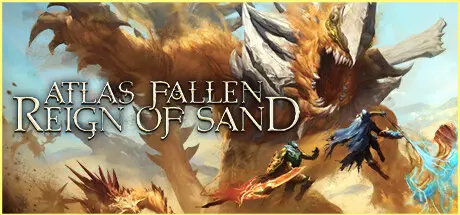
Atlas Fallen: Reign Of Sand Free Download (Build 15993253 + ALL DLC + Online)
Featured Replies

header.webp

Game Details

Release Name:ย Atlas Fallen: Reign Of Sand

Game Version:ย Build 15993253

Release Date: 9 Aug, 2023

Publisher: Focus Entertainment

Developer: Deck13

Based On:ย CSF & Goldberg

Atlas Fallen: Reign Of Sand Direct Download - Game Review

In solo or co-op, experience Reign of Sand, the ultimate version of Atlas Fallen. Ride the sands of a timeless land and defeat legendary monsters in spectacular Action-RPG combat using devastating powers.

Master the sand to manifest devastating weapons and harvest the essence of your enemies to customize your own play style. Open a new era for humanity in a narrative campaign playable solo or in cooperation with a friend. Break your chains. Unleash the storm!

An expanded world, new enemies, revamped progression, new quests... The world of Atlas Fallen is enriched by this major, entirely free update! Enjoy new voice acting, a reworked campaign and face even more formidable creatures armed with new Essence Stones. Persevere in your adventure with the long-awaited "New Game +" and challenge the gods with the nightmarish difficulty mode. Many more surprises and improvements await you in this content-rich new version!

Surf the dunes of this desolate world to unravel its mysteries and free your people from oppression. It's the perfect time to start your adventure thanks to a revamped progression and a narrative campaign with reworked voice acting.
With a new Nightmare mode available in New Game +, being two won't be too much to fight the Gods. Take on the new challenges of Thelos and face unprecedented legendary monsters with unique abilities.
Unleash the power of your gauntlet, forge your legend with a fluid, dynamic, and completely customizable combat system. Reign of Sand completes your arsenal with Essence Stones and armors infused by unprecedented effects.


Game Screenshots

screenshot screenshot screenshot screenshot


Game Trailer


System Requirements

Minimum Requirements

Recommended Requirements

OS

Windows 10 64-bit

Windows 10 64-bit

Processor

Intel Core i5-6600K/AMD Ryzen 3 1200

Intel Core i7-9800X/AMD Ryzen 5 3600

Memory

8 GB RAM

16 GB RAM

Graphics

4 GB VRAM, GTX 1050 Ti/RX 470

8 GB VRAM, GTX 1070 Ti/RX 5700

DirectX

Version 12

Version 12

Storage

35 GB available space

35 GB available space


Installation Guide

  1. No Installation Needed: The game is pre-installed. Just download and extract.

  2. Extract: Right-click the .zip or .rar file and select "Extract Here" or "Extract to folder".

  3. Run: Find bin\AtlasFallen.exe inside the folder and run it.

Multiplayer & Online (Optional)

  • Play Online: Download the Online Fix file and apply it to the game folder.

  • Please go to the online fix page and read the guide.

Game Data & Settings

  • Change Language: Edit the file located at steam_settings/Configs.user.ini

Important Notes

DLC List

Added DLCs

Atlas Fallen: Reign of Sand - Free Upgrade

Atlas Fallen - Ruin Rising Pack

๐Ÿ”ฅDOWNLOAD AREA๐Ÿ”ฅ

๐Ÿ”น28.08 GB๐Ÿ”น

Select the server you want to download with ZeiLink.

Download

Online Fix - (RAR pass: rexagames.com)

  • Views 1.1k
  • Created
  • Last Reply

Posted Images

Create an account or sign in to comment

Recently Browsing 0

  • No registered users viewing this page.

Account

Navigation

Search

Search

๐Ÿ”Ž Search Tip
For exact results, search using "game name" .
Without quotes, results may include unrelated titles.

Configure browser push notifications

Chrome (Android)
  1. Tap the lock icon next to the address bar.
  2. Tap Permissions โ†’ Notifications.
  3. Adjust your preference.
Chrome (Desktop)
  1. Click the padlock icon in the address bar.
  2. Select Site settings.
  3. Find Notifications and adjust your preference.
