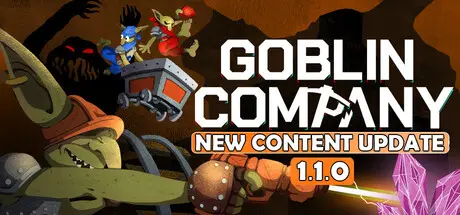
June 13Jun 13 Goblin Company Game DetailsRelease Name: Goblin CompanyGame Version: v1.0.1 | Build 23710560Release Date: 12 Jun, 2026Publisher: BitBorne StudioDeveloper: BitBorne StudioBased On: CSF & GoldbergGoblin Company Direct Download - Game OverviewGOBLIN COMPANY is a co-op mining game where every meter you dig could be your last. Armed with laser drills, you and your fellow Goblins must reach the legendary Giant Crystal in the WHAAG MINING INC mines. But the depths hold ravenous creatures and a darkness that devours sanity. Can you claim the treasure?Carve your own paths through the cavesShape the environment according to your exploration strategiesBuild a rail network for mining cartsOptimize routes to maximize efficiency while you exploreStay in the light or anxiety will consume you!Dynamic torch system: carry them, throw them, or place them strategicallyUpgrade your laser, boost your abilities, and customize your Goblin to work harder, faster, and... smarter?Face the depths alone or with up to 3 fellow Goblins. Share torches to keep the darkness at bay, watch each other's backs, and combine your efforts to uncover the path to the Giant CrystalBring back the old mining system to its original functionalityExpand your mining operation with new Goblin technologiesDig together with up to 4 playersExplore, fight, and gather resources3 different biomes to discoverBuild your own railway networkUse torches to combat darknessCustomize your GoblinUpgrade your equipmentUnlock valuable toolsOnline co-op and offline single playerDie and you'll be replacedGoblin Company Screenshots Goblin Company TrailerGoblin Company System Requirements Minimum RequirementsRecommended Requirements OSWin 10Win 11 ProcessorIntel Core i5 @ 2.5 GHz or equivalentIntel Core i5 @ 3.0 GHz or AMD Ryzen 5 or equivalent Memory8 GB RAM16 GB RAM GraphicsGTX 1060 or RX 6600 XTRTX 2060 or RX 7600xt or equivalent DirectXVersion 11Version 11 Storage4 GB available space6 GB available space How to Install Goblin CompanyNo Installation Needed: The game is pre-installed. Just download and extract.Extract: Right-click the .zip or .rar file and select "Extract Here" or "Extract to folder".Run: Find GoblinCompany.exe inside the folder and run it.Multiplayer & Online (Optional)Play Online: Download the Online Fix file and apply it to the game folder.Please go to the online fix page and read the guide.Game Data & SettingsChange Language: Edit the file located at steam_settings/Configs.user.iniImportant NotesTo support the Game Developer, Get It On Steam.🔥DOWNLOAD AREA🔥🔹888 MB🔹Select the server you want to download with ZeiLink.DownloadOnline Fix - (RAR pass: zeigames.com)





Create an account or sign in to comment