



Skip to content
View in the app

A better way to browse. Learn more.

ZeiGames

A full-screen app on your home screen with push notifications, badges and more.

To install this app on iOS and iPadOS
  1. Tap the Share icon in Safari
  2. Scroll the menu and tap Add to Home Screen.
  3. Tap Add in the top-right corner.
To install this app on Android
  1. Tap the 3-dot menu (โ‹ฎ) in the top-right corner of the browser.
  2. Tap Add to Home screen or Install app.
  3. Confirm by tapping Install.

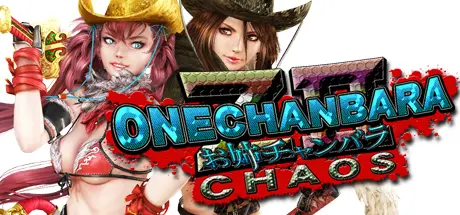
Onechanbara Z2: Chaos Free Download (Build 1259929 + ALL DLC)
Featured Replies

header.webp

Game Details

Release Name:ย Onechanbara Z2: Chaos

Game Version:ย Build 1259929

Release Date: 2 Jun, 2016

Publisher: D3PUBLISHER

Developer: Tamsoft

Based On:ย CSF & Goldberg

Onechanbara Z2: Chaos Direct Download - Game Review

Kagura and Saaya are schoolgirl sisters raised together by the Vampiric Clan, and rank among their strongest warriors. Aya and Saki are assassin sisters descended from the rival Baneful Bloodline, and represent their lineage with esteem.
Now, these four must learn to fight together against an undead army. Brought under one banner known as the โ€œZombie Punitive Force,โ€ these blood enemies will have to reach a mutual understanding in order to save the world as we know it.
And as long as theyโ€™re working together, they might as well do it in styleโ€ฆ
Onechanbara Z2: Chaos is the latest entry in the Onechanbara series. The Vampiric sisters and two legendary zombie-hunting sisters of Baneful blood battle through over a dozen stages of high-octane real-time swordplay. Fight off the invasion in gruesome detail, occasionally transforming into a demon for short bursts of added power and speed. Enjoy the gameplay experience with the original Japanese voices or โ€“ for the first time in series history โ€“ a full English dub.


Game Screenshots

screenshot screenshot screenshot screenshot


Game Trailer


System Requirements

Minimum Requirements

Recommended Requirements

OS

Windows 7 SP1 / 8 / 8.1 /10 (64bit)

Windows 7 SP1 / 8 / 8.1 /10 (64bit)

Processor

IntelR Core i3-4130 / AMD FX-4170 Quad-Core

IntelR Core i5-4670 / AMD FX-8350 Eight-Core

Memory

6 GB RAM

8 GB RAM

Graphics

NVIDIA GeForce GTX 650/RADEON R7 370 (1GB VRAM)

NVIDIA GeForce GTX 750/RADEON R9 280 (1GB VRAM)

DirectX

Version 11

Version 11

Storage

10 GB available space

12 GB available space


Installation Guide

  1. No Installation Needed: The game is pre-installed. Just download and extract.

  2. Extract: Right-click the .zip or .rar file and select "Extract Here" or "Extract to folder".

  3. Run: Find OnechanbaraZ2.exe inside the folder and run it.

Game Data & Settings

  • Change Language: Edit the file located at steam_settings/Configs.user.ini

Important Notes

DLC List

Added DLCs

Kitten Mittens & Fuzzy Leggings

Pale Pink Gullwings & Pale Pink Visor

Strawberry Banana Surprise (Y)

Strawberry Banana Surprise (X)

Pale Blue Gullwings & Pale Blue Visor

Wavy Side Tail & Golden Wavy Side Tail

Wavy Medium 'Do & Golden Wavy Medium 'Do

Short Bob & Golden Short Bob

Wolf's Hair & Golden Wolf's Hair

Handgun

Death Claw

Nunchaku

Giant Sword

THE NINJA (Purple) & THE NINJA (Green)

Long Ponytail & Golden Long Ponytail

Cool Short 'Do & Golden Cool Short 'Do

Voluminous Ponytail & Golden Voluminous Ponytail

Straight Pigtails & Golden Straight Pigtails

Beast Hands

Rider Belt

Rider Scarf

Ponytail Wig & Blonde Ponytail Wig

GaGaGa Ribbon Golden & GaGaGa Ribbon

Cowboy Hat

Authentic Bunny & Fetish Bunny

Golden Saki Pigtails

Golden Wavy Long 'Do

Golden Saaya Ponytail

Golden Kagura Pigtails

Fizzy & Dizzy (Berry) & Fizzy & Dizzy (Cider)

Jet Spanglette (Black) & Jet Spanglette (Red)

Cutie Marine (Blue) & Cutie Marine (Yellow)

Amazonic Green & Amazonic Turquoise

Red Swan

Bande Dessinee

Japanese Iris

Black Rose

๐Ÿ”ฅDOWNLOAD AREA๐Ÿ”ฅ

๐Ÿ”น4.29 GB๐Ÿ”น

Select the server you want to download with ZeiLink.

Download

  • Views 574
  • Created
  • Last Reply

Posted Images

Create an account or sign in to comment

Recently Browsing 0

  • No registered users viewing this page.

Account

Navigation

Search

Search

๐Ÿ”Ž Search Tip
For exact results, search using "game name" .
Without quotes, results may include unrelated titles.

Configure browser push notifications

Chrome (Android)
  1. Tap the lock icon next to the address bar.
  2. Tap Permissions โ†’ Notifications.
  3. Adjust your preference.
Chrome (Desktop)
  1. Click the padlock icon in the address bar.
  2. Select Site settings.
  3. Find Notifications and adjust your preference.
