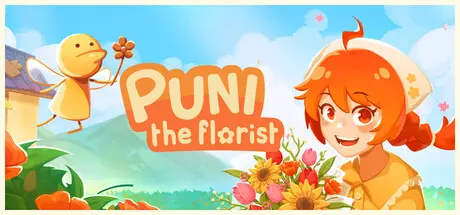
June 11Jun 11 Puni the Florist Game DetailsRelease Name: Puni the FloristGame Version: Build 23669965Release Date: 8 Jun, 2026Publisher: Earthquack GamesDeveloper: Earthquack GamesBased On: CSF & GoldbergPuni the Florist Direct Download - Game OverviewPuni the Florist is a cozy simulation game where you run a magical flower shop with the help (and occasional chaos) of a clueless fairy. Run a flower shop, arrange unique bouquets, and build connections with the quirky townsfolk who wander through your doors.Fulfill townsfolk’s requests with your own floral designs using unique combinations of flowers and decorations.Engage in a silly, light-hearted, and relatable tale of self-discovery of Puni.Complete flower collections and uncover the language of flowers through your scrapbook.Make your shop your own with cute, customizable decor and personal touches.Admire the bouquets you’ve created in the galleryMeet a quirky cast of characters, uncover their stories, and form lasting friendships.Puni the Florist Screenshots Puni the Florist TrailerPuni the Florist System Requirements Minimum RequirementsRecommended Requirements OSWindows 10 or laterWindows 10 or later ProcessorRequires a 64-bit processorRequires a 64-bit processor Memory4 GB RAM8 GB RAM GraphicsRequires GPU with 1GB VRAMGeForce GTX 750 Ti / Radeon R7 250 DirectX-- Storage1 GB available space2 GB available space How to Install Puni the FloristNo Installation Needed: The game is pre-installed. Just download and extract.Extract: Right-click the .zip or .rar file and select "Extract Here" or "Extract to folder".Run: Find Puni the Florist.exe inside the folder and run it.Game Data & SettingsChange Language: Edit the file located at steam_settings/Configs.user.iniSave Data Location: %USERPROFILE%/AppData/LocalLow/Earthquack Games/Puni the Florist/Important NotesTo support the Game Developer, Get It On Steam.🔥DOWNLOAD AREA🔥🔹301 MB🔹Select the server you want to download with ZeiLink.Download





Create an account or sign in to comment