



Skip to content
View in the app

A better way to browse. Learn more.

ZeiGames

A full-screen app on your home screen with push notifications, badges and more.

To install this app on iOS and iPadOS
  1. Tap the Share icon in Safari
  2. Scroll the menu and tap Add to Home Screen.
  3. Tap Add in the top-right corner.
To install this app on Android
  1. Tap the 3-dot menu (โ‹ฎ) in the top-right corner of the browser.
  2. Tap Add to Home screen or Install app.
  3. Confirm by tapping Install.

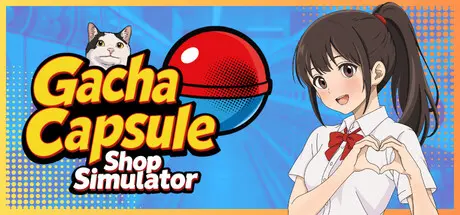
Gacha Capsule Shop Simulator - Akihabara Free Download (v0.8.0)
Featured Replies

header.webp

Game Details

Release Name:ย Gacha Capsule Shop Simulator - Akihabara

Game Version:ย v0.8.0 | Build 24051960

Release Date: 8 Jun, 2026

Publisher: UGC90, Gamersky Games

Developer: UGC90

Based On:ย CSF & Goldberg

Gacha Capsule Shop Simulator - Akihabara Direct Download - Game Review

Build your personal gacha capsule figure collection, from giant robots and kawaii cats to meme figurines. Display them proudly in your private collection.ย 
Design and organize your capsule shop. Place machines, decorate the space, and keep your customers happy with a wide variety of the latest trending collectibles.

Manage your cozy gacha shop by day, then enter the underground world of Robot Fight Club by night. In hidden parking lot arenas lit by JDM car headlights, worker robots battle while yakuza, sumo wrestlers, influencers, and other VIP customers place bets. Bet on your favorite robots, win extra cash, and expand your capsule collection.

Open capsules yourself to uncover rare toys! Sell them to earn profits or display them in your personal collection. Each series offers new surprises and opportunities to expand your shop.

  • Interactive Gacha Capsule Machines โ€“ Load, unlock, and spin for surprises

  • Shop Management โ€“ Handle stock, pricing, and layout like a true manager

  • Over +10,000 Figure variations to Collect โ€“ Multiple rarities, materials and size

  • Sell Figures โ€“ Set up display tables and price your stock strategically

  • NPC Encounters โ€“ From Yakuza troublemakers to chaotic Sumo wrestlers

  • Giant Street Figures โ€“ Turn heads with massive displays outside your store

  • Grow Your Empire โ€“ Upgrade to premium capsule machines, renovate your shop, hire staff,ย  organize marketing, attract more customers!


Game Screenshots

screenshot screenshot screenshot screenshot


Game Trailer


System Requirements

Minimum Requirements

Recommended Requirements

OS

Windows 10 (64-bit)

Windows 10/11 (64-bit)

Processor

Intel Core i3-7100 or AMD FX-6300

Intel Core i5-9600K or AMD Ryzen 5 3600

Memory

8 GB RAM

8192 MB RAM

Graphics

NVIDIA GeForce GTX 960 or AMD Radeon R9 380

NVIDIA GeForce GTX 1650 or AMD Radeon RX 590

DirectX

Version 11

Version 12

Storage

8 GB available space

10 GB available space


Installation Guide

  1. No Installation Needed: The game is pre-installed. Just download and extract.

  2. Extract: Right-click the .zip or .rar file and select "Extract Here" or "Extract to folder".

  3. Run: Find gcss.exe inside the folder and run it.

Game Data & Settings

  • Change Language: Edit the file located at steam_settings/Configs.user.ini

  • Save Data Location: %USERPROFILE%/AppData/LocalLow/\UGC90\gcss\

Important Notes

๐Ÿ”ฅDOWNLOAD AREA๐Ÿ”ฅ

๐Ÿ”น1.52 GB๐Ÿ”น

Select the server you want to download with ZeiLink.

Download

  • Replies 1
  • Views 1k
  • Created
  • Last Reply

Top Posters In This Topic

Posted Images

  • DicDale changed the title to Gacha Capsule Shop Simulator - Akihabara Free Download (v0.8.0)

Create an account or sign in to comment

Recently Browsing 0

  • No registered users viewing this page.

Account

Navigation

Search

Search

๐Ÿ”Ž Search Tip
For exact results, search using "game name" .
Without quotes, results may include unrelated titles.

Configure browser push notifications

Chrome (Android)
  1. Tap the lock icon next to the address bar.
  2. Tap Permissions โ†’ Notifications.
  3. Adjust your preference.
Chrome (Desktop)
  1. Click the padlock icon in the address bar.
  2. Select Site settings.
  3. Find Notifications and adjust your preference.