



Skip to content
View in the app

A better way to browse. Learn more.

ZeiGames

A full-screen app on your home screen with push notifications, badges and more.

To install this app on iOS and iPadOS
  1. Tap the Share icon in Safari
  2. Scroll the menu and tap Add to Home Screen.
  3. Tap Add in the top-right corner.
To install this app on Android
  1. Tap the 3-dot menu (โ‹ฎ) in the top-right corner of the browser.
  2. Tap Add to Home screen or Install app.
  3. Confirm by tapping Install.

Professor Simulator Free Download (v1.1.6 + Lab Supporter Pack DLC)
Featured Replies

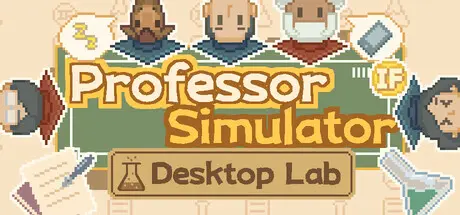
header.webp

Game Details

Release Name:ย Professor Simulator

Game Version:ย v1.1.6 | Build 23643602

Release Date: 7 Jun, 2026

Publisher: HCL

Developer: HCL

Based On:ย CSF & Goldberg

Professor Simulator Direct Download - Game Review

This is an idle game that wonโ€™t interrupt your work, experiments, or paper writing.

It only takes up a tiny corner of your screen, quietly running in the background and keeping you company.

In the game, you play as a young lecturer at the start of your academic career. Beginning with a humble little lab, you will recruit students, conduct research projects, publish papers, purchase equipment, set lab rules, and gradually climb the academic ladder until you become a true academic heavyweight.

The journey may be painful, and it may be absurd, but at leastโ€”

you finally get to be the advisor.

Starting from scratch, you will personally interview masterโ€™s and PhD students, selecting the most suitable candidates to join your team.

Different students have different abilities, personalities, and growth potential. Some are naturally gifted, some are hardworking and reliable, and some look extremely promisingโ€”while simply waiting for the perfect chance to slack off.

As your academic rank rises, your lab will gradually expand, allowing you to recruit more students and build a larger research team.


Game Screenshots

screenshot screenshot screenshot screenshot


Game Trailer


System Requirements

Minimum Requirements

Recommended Requirements

OS

Windows 10

-

Processor

Intel i3 Dual Core

-

Memory

4 GB RAM

-

Graphics

Intel HD 4000

-

DirectX

Version 11

-

Storage

600 MB available space

-


Installation Guide

  1. No Installation Needed: The game is pre-installed. Just download and extract.

  2. Extract: Right-click the .zip or .rar file and select "Extract Here" or "Extract to folder".

  3. Run: Find ProfessorSimulator.exe inside the folder and run it.

Game Data & Settings

  • Change Language: Edit the file located at steam_settings/Configs.user.ini

  • Save Data Location: %USERPROFILE%/AppData/LocalLow/HCL/ProfessorSimulator/Saves

Important Notes

DLC List

Added DLCs

Professor Simulator - Lab Supporter Pack

๐Ÿ”ฅDOWNLOAD AREA๐Ÿ”ฅ

๐Ÿ”น74 MB๐Ÿ”น

Select the server you want to download with ZeiLink.

Download

  • Views 676
  • Created
  • Last Reply

Posted Images

Create an account or sign in to comment

Recently Browsing 0

  • No registered users viewing this page.

Account

Navigation

Search

Search

๐Ÿ”Ž Search Tip
For exact results, search using "game name" .
Without quotes, results may include unrelated titles.

Configure browser push notifications

Chrome (Android)
  1. Tap the lock icon next to the address bar.
  2. Tap Permissions โ†’ Notifications.
  3. Adjust your preference.
Chrome (Desktop)
  1. Click the padlock icon in the address bar.
  2. Select Site settings.
  3. Find Notifications and adjust your preference.
