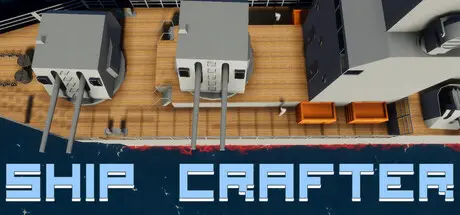
June 8Jun 8 ShipCrafter Game DetailsRelease Name: ShipCrafterGame Version: Build 23609822Release Date: 31 Oct, 2025Publisher: MoreButterGamesDeveloper: MyrmecomanBased On: CSF & GoldbergShipCrafter Direct Download - Game OverviewShipCrafter is a naval sandbox combat simulator. Build you ship, unlock new parts, and defeat increasingly powerful foes !Challenge adversaries in the campaign and liberate europe, or battle your own creations in the custom battle mode, and try to come up with the most efficient and original design.We are making a game with accurate physics. As such we implemented a realtime buoyancy system based on weight and submerged volume. The ship density and center of mass is displayed in editor, allowing to fine tune your ship and even make submarines using ballasts !Weaponery physics were particularly cared for as well, with fully simulated shell trajectories considering air pressure, changes in density through the atmosphere, and the influence of speed on shells drag value. Penetration calculations are calculated based on armor thickness, angle of incidence, bounce probability, and shell speed and mass.1x1m sized blocks for the highest visual and physical accuracy.Color mode in editor.Realtime buoyancy simulation even considering ocean waves.Various armor thicknesses and accurate penetration calculation based on speed, mass and angle of incidence.Realistic ballistic trajectories even considering changes in the air pressure with altitude. Speeds and distances are however reduced to increase the nervosity of combats (in reality it would take more than a minute to hit a target at 20km).Adjustable ballasts for submarine designs.Physics based damages instead of healthbars. Turrets and engines will also lose performance if hit.Weather system and day cycles, including changes in ocean waves amplitude and rain.Campaign with more than 50 missions.More than 20 different ships to defeat.Custom battle editor, including weather, time of day selection, and bots vs bots naval battles.Manual and automatic control mode for weaponery.Realtime fluid simulation (experimental).Visit your ship in first person view.Steam Workshop supported.Raytracing renderer to generate your most beautiful screenshots !ShipCrafter Screenshots ShipCrafter TrailerShipCrafter System Requirements Minimum RequirementsRecommended Requirements OSWindows 10/11Windows 10/11 Processor4 cores - 3GHz8 cores - 3.5GHz Memory8 GB RAM16 GB RAM GraphicsGTX1060RTX2060 DirectX-- Storage2 GB available space2 GB available space How to Install ShipCrafterNo Installation Needed: The game is pre-installed. Just download and extract.Extract: Right-click the .zip or .rar file and select "Extract Here" or "Extract to folder".Run: Find ShipCrafter.exe inside the folder and run it.Game Data & SettingsChange Language: Edit the file located at steam_settings/Configs.user.iniSave Data Location: %USERPROFILE%/AppData/LocalLow/MoreButterGames/ShipCrafter/Important NotesTo support the Game Developer, Get It On Steam.🔥DOWNLOAD AREA🔥🔹412 MB🔹Select the server you want to download with ZeiLink.Download





Create an account or sign in to comment