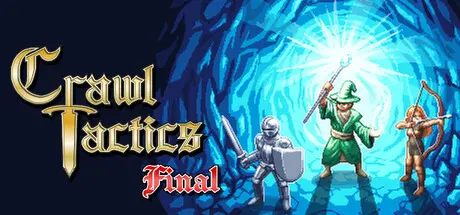
June 7Jun 7 Crawl Tactics Game DetailsRelease Name: Crawl TacticsGame Version: v3.4.18 | Build 23607785Release Date: 8 Dec, 2022Publisher: icefillDeveloper: icefillBased On: CSFCrawl Tactics Direct Download - Game OverviewCrawl Tactics combines classic turn-based tactics with roguelike progression. In Dungeon Mode, face challenging, ever-changing encounters as you explore procedurally generated maps. In Quest Mode, develop your village, train your mercenaries, and defend against growing enemy invasions.Crawl Tactics is not a puzzle-like tactical game focused on finding one correct solution, but a turn-based strategy RPG forfans of classic, orthodox SRPGs.You can enjoy deep tactical gameplay that considers height differences, unit facing, weather, terrain, and more.Traps and terrain affect both you and your enemies. Set grass on fire, electrocute enemies standing on water, or ignite poison clouds.Various interactions are possible through pushing/throwing objects and units. Push enemies off high ground or into blade traps, or roll boulders to hit them.You can also activate cannons or crossbow traps to damage distant enemies, and all traps can trigger in chains for satisfying results.You can freely customize skills, equipment, classes, techniques, and appearance.Even after clearing the main dungeon, you can continue developing your characters through New Game Plus and Reverse, which allows you to reset classes even after advancing to higher tiers.From a solo party to an 8-member battle party, you can build any party composition you want.Crawl Tactics Screenshots Crawl Tactics TrailerCrawl Tactics System Requirements Minimum RequirementsRecommended Requirements OSWindows 7 or higherWindows 7 or higher Processor2.0 Ghz DualCore CPU2.0 Ghz DualCore CPU Memory4 GB RAM4 GB RAM GraphicsIntel HD4000 or better, OpenGL 3.3Intel HD4000 or better, OpenGL 3.3 DirectX-- Storage400 MB available space1 GB available space How to Install Crawl TacticsNo Installation Needed: The game is pre-installed. Just download and extract.Extract: Right-click the .zip or .rar file and select "Extract Here" or "Extract to folder".Run: Find TFD.exe inside the folder and run it.Game Data & SettingsChange Language: Edit the file located at steam_settings/Configs.user.iniSave Data Location: */saves/Important NotesTo support the Game Developer, Get It On Steam.🔥DOWNLOAD AREA🔥🔹341 MB🔹Select the server you want to download with ZeiLink.Download
June 21Jun 21 Thanks for uploading the latest version of this game DicDale I have been waiting forever for someone on CS.RIN.RU to share the latest Clean Steam Files 👍





Create an account or sign in to comment